Prompt Writing for AI Fashion Video: Structure and Examples
November 20, 2026
Outfit Video and tools like it are only as precise as the instructions they receive. That makes fashion prompt engineering a practical production skill. This guide breaks down prompt structure, common failure patterns, and working examples you can adapt for your own catalogue.
- A well-structured AI video prompt has four distinct layers: subject, context, motion, and mood.
- Vague descriptors like “stylish” or “modern” produce inconsistent results; specificity drives quality.
- Prompts should reference garment construction details, not just colour and category.
- Testing a small prompt set before scaling to a full catalogue saves significant revision time.
- Storing approved prompts in a reusable library cuts production time on future batches.
Why Prompt Structure Matters in Fashion Video
AI video generation models interpret language statistically, not intuitively. Write “a woman in a nice dress walking” and the model fills every undefined variable with its own weighted average of training data. That average is rarely what your brand needs. The result might look competent in isolation but feel off-brand, misalign with your target market, or fail to show the garment’s selling features.
Prompt structure converts creative intent into discrete, parseable signals. Rather than one long sentence, a structured prompt supplies the model with layered information it can apply to separate aspects of the output: who is in the frame, what they are wearing, how they move, and what the visual atmosphere communicates. Each layer reduces ambiguity and tightens the output toward your desired result.
This matters even more at scale. If you are batch generating outfit videos for a large catalogue, a poorly structured base prompt creates compounding inconsistency across hundreds of clips. Getting the architecture right once means every downstream video inherits the same standard.
The Four-Layer Prompt Framework
The most reliable approach to writing outfit video prompts treats each prompt as four stacked layers. These can be written as a single block of text or as structured fields depending on the tool you are using.
- Subject layer: Describe the model or figure. Include body type, skin tone (where relevant to fabric rendering), pose intention, and any directional movement. Avoid generic terms. “A tall model mid-stride” is more useful than “a model walking.”
- Garment layer: Describe the item with construction-level specificity. Fabric weight, silhouette, closure type, and notable details like pleating or topstitching. “A wide-leg linen trouser with a high rise and visible seam detail” outperforms “beige trousers.”
- Environment layer: Specify the setting, lighting source, and background treatment. “Softbox-lit white cyclorama studio” and “natural backlight on a terracotta courtyard” will produce fundamentally different video tones, even with identical garments.
- Mood and motion layer: Define the pacing, camera behaviour, and emotional register. “Slow pan from hem to shoulder, calm and editorial” versus “quick cut energy, street-cast feel” signal very different editing and colour grading choices to the model.
Common Prompt Mistakes and How to Fix Them
Even experienced content teams fall into the same patterns when writing AI prompts for fashion. The most common errors are worth naming directly.
- Category substituting for description: Writing “blouse” when you mean “a relaxed-fit silk-satin blouse with bishop sleeves and a self-tie neck.” The category tells the model almost nothing about the garment’s visual properties.
- Stacking contradictory signals: Asking for “luxury editorial but high-energy and fun” without resolving the tension. Pick a primary register and treat the second as a modifier, not a co-equal instruction.
- Omitting negative guidance: Many tools accept negative prompts or exclusion language. Failing to specify what you do not want (heavy grain, saturated filters, motion blur on the fabric) leaves those decisions to chance.
- Ignoring platform destination: A prompt optimised for a slow editorial Reel will perform differently when repurposed for a TikTok cold audience hook. The motion and crop requirements differ significantly. Reviewing how hooks differ across audience temperatures can inform the mood layer of your prompts directly.

Worked Prompt Examples by Category
The following examples follow the four-layer framework and demonstrate how specificity changes the output quality. Each example is formatted as a single usable prompt block.
Example 1: Occasion dress, studio setting
“A model with a straight silhouette, moving slowly from a standing pose into a gentle half-turn. She is wearing a floor-length crepe dress with a cowl neckline, draped front panel, and narrow spaghetti straps in deep burgundy. Studio setting, single key light from the right, clean white background. Mood: quiet luxury, slow motion on the fabric drape, minimal movement in the frame, editorial pacing.”
Example 2: Streetwear, outdoor setting
“A male model in a casual confident stance, shifting weight to one side. Wearing an oversized heavyweight cotton hoodie in washed slate grey with a kangaroo pocket, dropped shoulders, and ribbed cuffs. Shot on a concrete urban street, overcast natural light, slight camera drift to the right. Mood: relaxed, authentic, raw texture visible on the fabric, handheld feel, medium-cut pacing.”
Example 3: Modest wear, neutral background
“A model in a loose-fitting silhouette, walking toward the camera at a moderate pace. Wearing a maxi-length abaya in matte black crepe with subtle embroidery at the cuff, full-length sleeves, and a structured shoulder. Softly lit neutral background, no strong shadows, warm ambient tone. Mood: refined and understated, smooth camera movement, focus on fabric fall and sleeve detail.”
Notice that each example specifies construction details, lighting source, camera behaviour, and emotional register. None of them use words like “stylish,” “modern,” or “beautiful,” because those words carry no parseable visual meaning. For context-specific prompt adjustments across different markets, the guidance on video creative considerations for the Middle East and Gulf offers additional nuance on cultural and aesthetic signals worth building into your prompts.
Building a Reusable Prompt Library
Once you have validated a set of prompts that consistently produce usable clips, the next step is systematising them. A prompt library is a structured document or spreadsheet that stores approved prompt templates, their associated output examples, and notes on what variables can be swapped without degrading quality.
Organise your library by garment category, platform destination, and setting type. Within each category, maintain a base template and a list of tested substitutions for colour, fabric, and silhouette details. A new team member can then produce consistent results without reverse-engineering your creative decisions from scratch.
Prompt libraries also integrate naturally with a broader brand style guide for AI-generated video. Where the style guide defines visual standards at the brand level, the prompt library operationalises those standards as reusable instructions the tool can act on directly.
Testing and Iterating Prompts Before Scaling
No prompt is final on the first draft. Run three to five variants of a prompt before committing to a full production run. Change one variable at a time and evaluate outputs against a consistent set of criteria: garment accuracy, model consistency, background cleanliness, and motion quality.
Keep a log of what changes produced improvements and what changes degraded output. Over time, this log becomes a set of prompt-writing heuristics specific to your brand, your garment types, and the platforms you publish on. That is not overhead. It is the process by which a generic AI tool becomes a precise production instrument for your specific creative requirements.
FAQ
What is an AI video prompt in the context of fashion video generation?
An AI video prompt is a text instruction that tells a generative video model what to produce. In fashion video, it describes the garment, model, setting, camera movement, and mood. The more specific and structured the prompt, the more accurately the output reflects the intended creative direction.
How long should an outfit video prompt be?
There is no fixed length, but most effective outfit video prompts fall between 60 and 150 words. The goal is completeness across the four layers (subject, garment, environment, mood) rather than brevity or length for its own sake. Excessively long prompts with contradictory signals can confuse the model as much as prompts that are too short.
Can I reuse the same prompt across different garments?
Yes, with modifications. A well-structured base prompt can serve as a template, with the garment layer updated for each new item. The environment and mood layers can remain stable across a collection if visual consistency is a priority. This is the basis of the prompt library approach described in this post.
What words should I avoid in fashion prompts?
Avoid subjective descriptors that carry no visual information: words like “stylish,” “chic,” “modern,” “beautiful,” and “elegant” do not translate into specific visual outputs. Replace them with concrete construction details, lighting descriptions, and motion specifications. Where mood language is useful, anchor it to specific visual references rather than abstract qualities.
Does prompt quality affect cost per usable clip?
Directly, yes. A poorly written prompt increases the number of rejected outputs and re-generation attempts, which raises the effective cost per clip you can actually use in a campaign. Investing time in prompt refinement upfront reduces waste across the full production run.
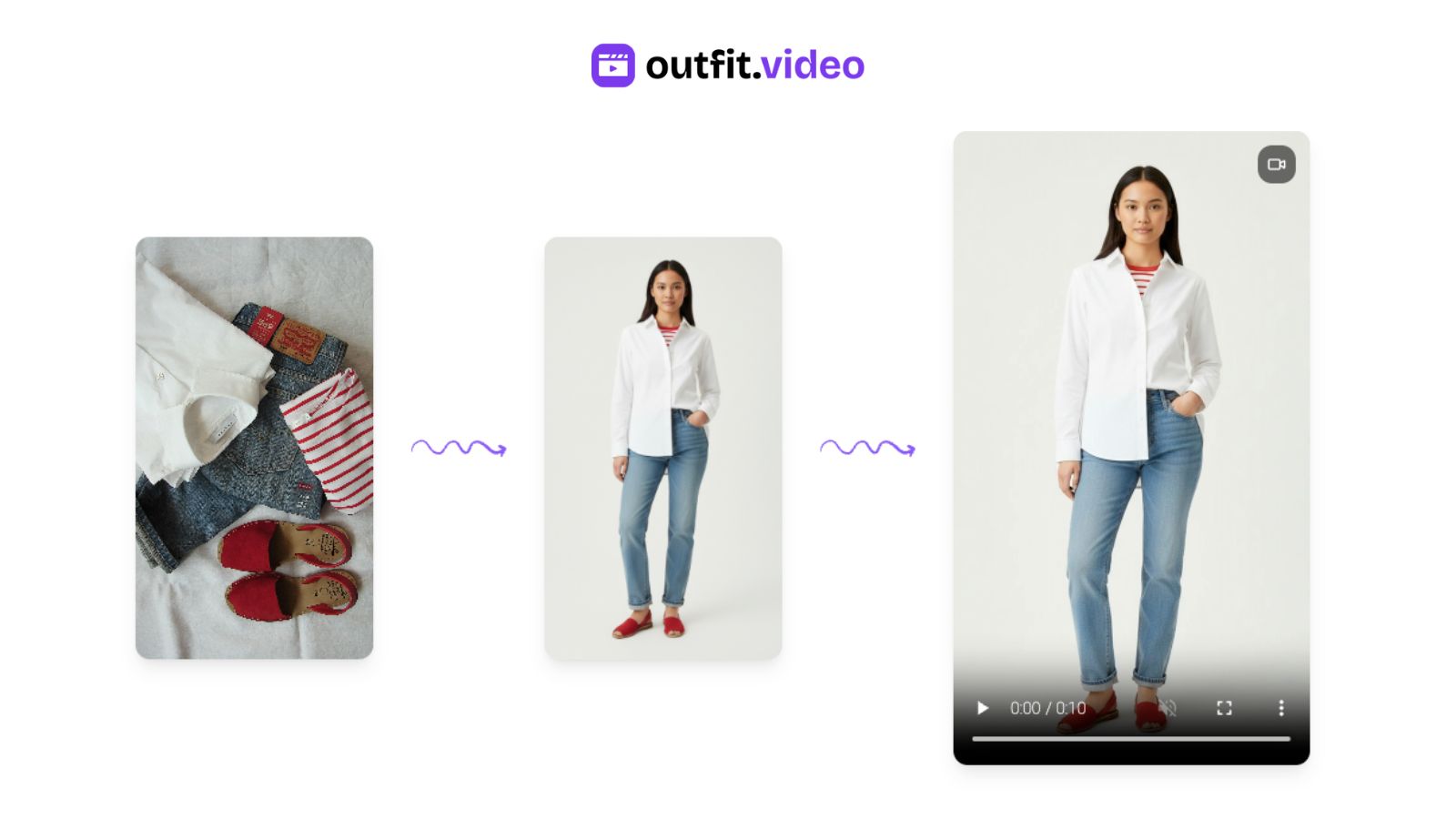
Ready to turn your outfit photos into scroll-stopping videos? Try Outfit Video free and create your first AI fashion video in minutes.
Ready to turn your outfit photos into scroll-stopping videos? Try Outfit Video free and create your first AI fashion video in minutes.