Batch Generating Outfit Videos for a 500-SKU Catalogue
November 17, 2026
Running a fashion e-commerce catalogue with hundreds of SKUs means confronting one uncomfortable truth: static product images are no longer enough to convert browsers into buyers, yet producing individual video shoots for every listing is financially and logistically impossible for most teams. Batch video generation changes that equation. Feed a structured product library into an AI video tool and you can produce platform-ready outfit clips at scale without multiplying headcount or budget. This post walks through how to plan, execute and quality-control a bulk product video run across a 500-SKU catalogue, so every garment gets the same commercial treatment regardless of where it sits in your range.
- Batch video generation allows fashion brands to convert an entire product catalogue into short-form videos without per-item shoots.
- Structured asset preparation, including consistent file naming and clean background images, is the single biggest factor in output quality at scale.
- Segmenting your 500 SKUs by category, season and channel before running a batch job reduces rework significantly.
- A documented brand style guide fed into the generation pipeline keeps visual identity consistent across hundreds of clips.
- Cost per clip drops sharply with volume, making catalogue automation the highest-leverage investment for mid-size fashion retailers.
- A lightweight approval workflow prevents bottlenecks when reviewing large batches without slowing the publish schedule.
Why Batch Video Generation Matters for Large Catalogues
Traditional video production scales linearly: more products means more shoot days, more editing hours, more invoices. For a 500-SKU catalogue, even a modest per-item cost of £30 for edited product video content reaches £15,000 before a single paid placement. Catalogue automation breaks that linear relationship. AI-powered tools process a structured image library and apply motion, transitions, music and text overlays programmatically. The marginal cost of item 500 is fractionally different from item one.
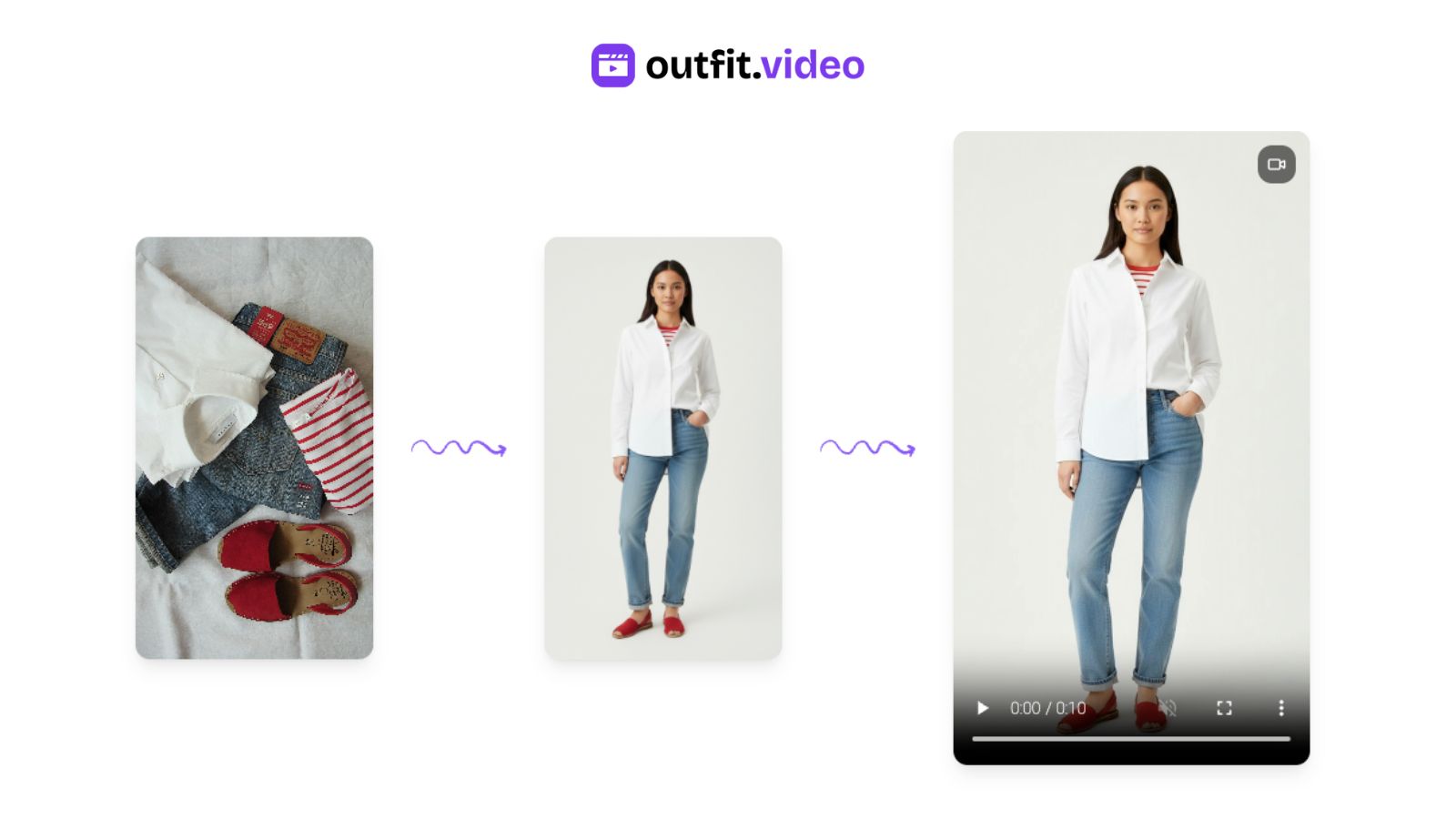
Beyond cost, there is a velocity argument. Seasonal ranges move fast. If your summer drop contains 120 new SKUs, you need video assets live before the peak demand window opens. A manual workflow cannot compress quickly enough. Batch generation with a tool like Outfit Video means you can go from a folder of product images to a full set of platform-formatted clips within hours rather than weeks.
There is also a competitive parity argument. Platforms including TikTok Shop, Myntra and Instagram Shopping are increasingly surfacing video-first listings above static ones. Brands with video on every SKU capture more algorithmic real estate than those with video only on hero products. Catalogue-wide coverage is becoming a baseline expectation, not a premium feature.
Structuring Your Asset Library Before You Batch
The quality of a bulk product video run is determined almost entirely by the quality of inputs. Before triggering any generation job, audit and organise your image library against the following criteria.
- File naming convention: Use a consistent schema such as SKU-colour-angle-version. This allows the generation tool to match metadata to the correct asset automatically and makes post-batch sorting straightforward.
- Background consistency: Images shot on pure white or a single neutral tone produce cleaner AI outputs. Mixed backgrounds across your catalogue will create visually inconsistent clips. Consider running a background removal pass before batching.
- Minimum resolution: Set a floor of 1080 x 1350 pixels for portrait shots destined for Reels and TikTok. Lower-resolution images will render poorly when motion is applied.
- Angle completeness: Front, back and detail shots give the AI more material to work with and allow for multi-shot clips that show garment construction, which improves retention.
- Metadata fields: Product name, category, fabric composition and price should be available as structured data so text overlays can be populated dynamically.
Spending two to three hours normalising a 500-SKU library before the batch run will save significantly more time in post-review corrections. This is the step most teams skip. It is also the step they regret skipping.
Segmenting Your Catalogue for Smarter Batch Jobs
Catalogue automation does not mean treating all 500 products identically. Intelligent segmentation before you run the job produces better results and simplifies the review stage.
Segment first by product category: separating dresses, outerwear, knitwear, denim and accessories into discrete batches allows you to apply category-specific motion templates. A heavy-knit jumper calls for slower, textural motion. A silk slip dress benefits from fluid, flowing transitions. Applying a single template across all categories produces flat, generic output.
Segment second by channel destination. A clip optimised for TikTok (9:16, fast cuts, caption-first) needs different settings from one destined for Pinterest (more editorial pacing, square or portrait crop). Running channel-specific sub-batches means every clip is natively formatted before export, removing the need for manual reformatting later.
Segment third by commercial priority. High-margin hero SKUs, new arrivals and clearance lines each serve a different business objective and should carry different call-to-action overlays. Processing these as separate batches makes it straightforward to apply the right messaging without editing individual clips.

Maintaining Brand Consistency Across 500 Clips
Scale introduces the risk of visual drift. When you are generating hundreds of clips, small inconsistencies in font choice, colour grading, logo placement or music selection compound into a catalogue that looks assembled rather than designed. The solution is a tightly defined input specification fed into the generation pipeline before any batch job starts.
This is where a formal brand style guide for AI-generated video pays for itself. Document your approved typefaces, hex codes, logo safe zones, approved music moods and overlay positioning as a reusable template. Every batch job runs against this template, so the 500th clip carries the same visual language as the first.
Beyond the visual layer, maintain consistency in pacing and structure. A reliable clip architecture (product reveal, detail shot, sizing or fabric callout, closing CTA) applied uniformly means customers develop a recognition pattern across your catalogue. This matters especially on platforms where your content appears in a feed alongside competitors.
Reviewing and Approving at Volume
The approval stage is where most batch workflows stall. Reviewing 500 clips individually using a traditional sign-off process is impractical. The answer is a tiered review model rather than clip-by-clip sign-off.
Tier one is an automated quality check: resolution compliance, duration within platform limits, presence of required text overlays, correct aspect ratio. Any clip failing automated checks is flagged and re-queued rather than passed to a human reviewer.
Tier two is a category sample review. A human reviewer watches a representative sample of five to ten clips per category batch. If the sample passes, the full batch is approved. If issues appear in the sample, the whole category batch is corrected and resampled. This approach is detailed further in the context of a fashion video approval workflow.
Tier three is a selective deep review for high-priority SKUs: hero products, campaign-led items and any product with known visual complexity (sheer fabrics, complex prints, structured tailoring) warrant individual attention before publish.
This three-tier model allows a team of two to review and clear a 500-clip batch in a working day without compromising quality standards.
Calculating the Economics of Catalogue-Scale Video
The business case for batch video generation at catalogue scale becomes clear when you model the numbers properly. Tracking the actual cost per usable clip from AI video generation (accounting for rejection rates, re-runs and review time) gives you a defensible figure to present to stakeholders rather than a headline price-per-clip that ignores operational overhead.
At catalogue scale, the total cost of an AI-generated batch typically runs at 3 to 8 percent of an equivalent studio shoot budget for the same number of SKUs. The payback is not only in cost reduction but in speed to market, channel coverage and the ability to refresh video assets each season without a capital event. Brands that commit to catalogue automation in year one typically find the asset library compounds in value as they build retargeting audiences, test hooks across cold and warm segments, and iterate on creative without reshooting.
FAQ
How long does it take to batch generate videos for a 500-SKU catalogue?
Processing time depends on the tool and server load, but a well-prepared 500-image library can typically complete a generation run within two to six hours. Adding review and correction time, most teams clear a full catalogue batch within two working days from asset submission to publish-ready export.
Do all 500 images need to be in the same format before batching?
Not necessarily the same file format, but they should meet consistent resolution, aspect ratio and background standards. The more uniform your input library, the lower your rejection and rework rate will be after generation. A brief pre-batch normalisation pass on your image library is strongly recommended.
Can batch-generated videos be customised per SKU or are they all identical?
AI batch tools allow dynamic population of text overlays from product metadata, meaning each clip can carry the correct product name, price, fabric description and CTA while sharing the same visual template. Motion style and music can be varied by category or segment within a single batch run.
What is the best way to handle product variants (colours, sizes) in a batch?
Treat each visual variant as a separate SKU in your input file. If a dress comes in four colourways, submit four separate images with distinct file names and metadata. This ensures every colour variant has its own video rather than sharing a single clip that may not accurately represent the alternative options.
How do I ensure the batch videos meet platform specifications for TikTok, Reels and Pinterest?
Set up channel-specific output profiles before running the batch. Each profile defines aspect ratio (9:16 for TikTok and Reels, 2:3 for Pinterest), maximum duration, caption safe zones and export resolution. Running the same source assets through multiple output profiles in one batch job is the most efficient way to cover all channels without duplicate work.
Ready to turn your outfit photos into scroll-stopping videos? Try Outfit Video free and create your first AI fashion video in minutes.
Ready to turn your outfit photos into scroll-stopping videos? Try Outfit Video free and create your first AI fashion video in minutes.