Calculating Cost Per Usable Clip From AI Video Generation
November 15, 2026
cost per usable clip. When you are running AI video generation at scale, production workflow quality often comes down to one number: how many finished, publish-ready clips you extract from every dollar spent, and whether you are honestly accounting for all the inputs behind that figure.
- Cost per usable clip is calculated by dividing total production spend by the number of clips that actually reach publication, not the number generated.
- AI video generation dramatically reduces the variable cost per clip, but hidden costs in review, revision and asset preparation can erode those gains.
- A realistic usability rate for AI-generated fashion clips sits between 60 and 85 percent, depending on input quality and workflow maturity.
- Tracking this metric over time reveals whether your creative process is improving or whether inefficiencies are compounding.
- Platforms and format requirements affect usability rate because a clip that works on one channel may require rework before it qualifies on another.
Why Cost Per Usable Clip Matters
Standard production budgets are reported as total spend or cost per finished video. Neither figure tells you much about creative efficiency. A team that spends $2,000 and ships 40 clips has a very different unit economics story than a team that spends $2,000 and ships 12, even if both report the same line-item cost.
Cost per usable clip forces a hard line between what was generated and what was actually fit for purpose. In traditional video production, unusable takes are obvious: bad lighting, missed cues, corrupted files. In AI video production, the failure modes are subtler. A clip might render successfully but show fabric distortion, an awkward transition, or framing that misses a platform’s safe zone requirements. Generated, yes. Usable, no. And it still consumed budget.
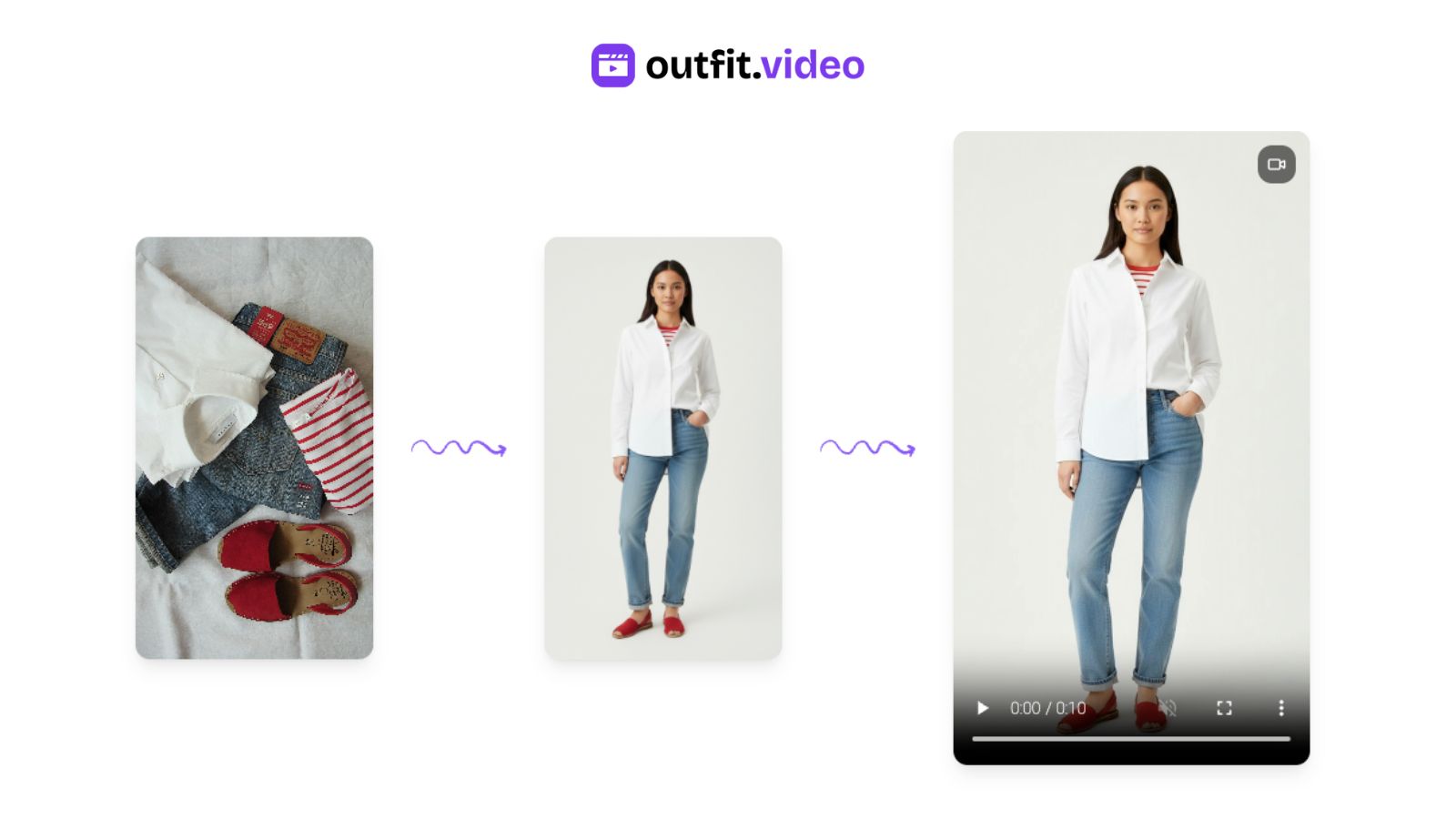
When you use a tool like Outfit Video to convert outfit photos into short-form fashion videos, the per-generation cost is low. The risk is assuming every output automatically qualifies as usable. Building a measurement habit around cost per usable clip prevents that assumption from quietly inflating your apparent efficiency.
Defining What Counts as Usable
Before you can calculate the metric, you need a consistent definition of usability. Everyone involved in the approval process must agree on it, because subjective standards produce inconsistent data. A usable clip must meet all of the following:
- The garment or product is clearly and accurately represented with no AI artefacts that would mislead the viewer.
- The clip meets the technical specifications of at least one target platform (resolution, aspect ratio, duration, file size).
- The clip has cleared your internal review process and is approved for publication.
- No further editing or regeneration is required before the clip goes live.
If your team is regularly sending clips back for minor text changes, caption corrections or background fixes, those clips are not yet usable. Each iteration adds time and sometimes direct cost. A drawn-out approval workflow will suppress your usability rate even when the underlying generation quality is high.
The Full Cost Equation
To calculate AI video cost per usable clip accurately, you need every input, not just the platform subscription or per-render fee. The full cost stack typically includes:
- Asset preparation time: photography, background removal, file formatting, and naming conventions. This is frequently the largest hidden cost in AI video pipelines.
- Platform or tool fees: subscription costs, credit-based usage fees, or per-render charges.
- Review and approval time: internal sign-off, stakeholder feedback, and legal or compliance checks.
- Revision cycles: any regeneration or post-production editing required before a clip qualifies as usable.
- Distribution preparation: resizing, reformatting, or adding subtitles for different platforms.
A simplified formula: Total Cost divided by Number of Usable Clips Shipped equals Cost Per Usable Clip.
If your team spends six hours preparing assets at a blended rate of $50 per hour, pays $150 in platform fees, and ships 60 usable clips from 80 generated, your total spend is $450 and your cost per usable clip is $7.50. That is a figure you can benchmark, improve, and report with confidence.
It is also worth reading about how much to budget per creative variant when running paid testing, because cost per usable clip feeds directly into decisions about how many variants you can afford to test within a given budget.

Usability Rate and How to Improve It
Your usability rate is the percentage of generated clips that reach publication without further rework. A rate below 60 percent signals something upstream is broken: input image quality, brief clarity, or inconsistent review criteria. A rate above 85 percent is achievable with a mature workflow and well-prepared source assets.
The most reliable levers for improvement are:
- Input quality: clean, well-lit product photography with consistent backgrounds dramatically reduces AI artefacts and misrepresented fabric textures.
- Brief standardisation: clear, repeatable prompts or settings reduce variance in output style and cut the likelihood of off-brief clips.
- Platform spec awareness: knowing the exact requirements for each destination before you generate means fewer clips are disqualified post-production. Check technical requirements in advance and you avoid wasted renders.
- Staged review: reviewing clips against a fixed checklist at a single point in the workflow is faster and more consistent than ad hoc feedback spread across multiple tools and conversations.
One thing that bites teams in production: counting reformatted aspect ratio variants as separate usable clips. A single master clip resized for different platforms is one usable clip family, not four separate outputs. Keep that distinction or you will inflate the output side of the equation. A practical guide to reformatting one master clip across aspect ratios can help you plan this stage efficiently.
Benchmarking and Tracking Over Time
Cost per usable clip is most valuable as a trend metric. A single snapshot tells you where you are. Monthly measurements tell you whether your process is improving.
Set up a simple tracking sheet with the following columns for each production batch: date, clips generated, clips approved without revision, clips approved after revision, clips rejected, total hours spent, total platform spend, and calculated cost per usable clip. After three to four batches, patterns will emerge. You will see whether certain product categories have lower usability rates, whether particular briefing styles produce cleaner outputs, and whether costs are trending down as the workflow matures.
When reporting to stakeholders or budget holders, pair cost per usable clip with a downstream metric such as engagement rate or conversion rate per clip. This positions your video content operation as a measured, optimisable channel rather than a fixed overhead.
Common Mistakes in the Calculation
Several errors consistently distort cost per usable clip calculations in fashion and e-commerce teams:
- Counting generated clips as usable: every clip that exits the AI tool is not automatically publish-ready. Only clips that have cleared your definition of usable should count.
- Excluding labour: platform fees are visible and easy to report. Staff time spent on asset preparation and review is real cost and must be included.
- Resetting the counter after major tool changes: when you switch tools or upgrade your workflow, it is tempting to start fresh. Maintaining a continuous record lets you measure the actual impact of changes.
- Conflating volume with efficiency: generating 200 clips per month is not efficient if only 90 are usable and each required two revision rounds. Volume is an output metric. Cost per usable clip is an efficiency metric.
FAQ
What is a realistic cost per usable clip for AI-generated fashion video?
For teams using AI video generation tools with well-prepared input assets, a realistic range is $5 to $25 per usable clip, depending on labour costs, platform fees, and usability rate. Teams with optimised workflows and clean photography inputs tend to sit at the lower end of that range.
How is cost per usable clip different from cost per video?
Cost per video typically divides total spend by the number of files generated or delivered. Cost per usable clip only counts clips that have been approved and are ready to publish. The gap between these two figures reveals the true efficiency of your production process.
Should I include platform subscription fees in the calculation even if I use the tool for other purposes?
Yes, but prorate the subscription cost based on the share of usage attributable to video generation. If 70 percent of your platform usage relates to fashion video clips, attribute 70 percent of the monthly fee to this calculation. Precision matters less than consistency across reporting periods.
How does publishing across multiple platforms affect the metric?
If a single clip requires reformatting or captioning before it qualifies on a second platform, that additional work is a cost. Count the original clip as one usable unit and treat the reformatted version as a derivative with its own small incremental cost. This keeps your reporting granular without overcounting outputs.
What usability rate should I aim for when starting with AI video generation?
A new workflow with reasonably good source photography should achieve a usability rate of 60 to 70 percent in the first month. With process refinement, brief standardisation, and consistent input quality, most teams reach 75 to 85 percent within three to four production cycles.
Ready to turn your outfit photos into scroll-stopping videos? Try Outfit Video free and create your first AI fashion video in minutes.
Ready to turn your outfit photos into scroll-stopping videos? Try Outfit Video free and create your first AI fashion video in minutes.