AI Fashion Video Generator: What Actually Works in 2026
August 5, 2026
AI fashion video generator has moved from novelty to necessity, but not every tool delivers what it promises. This post breaks down what actually works, what to avoid, and how to build a video workflow that produces real results for your brand or store.
- AI fashion video generators have matured significantly in 2026, with the best tools producing platform-ready content from static outfit photos in minutes.
- The most effective tools combine motion synthesis, auto-formatting for multiple platforms, and brand-consistent styling controls.
- Output quality depends heavily on input photo quality — lighting and composition still matter even with AI assistance.
- Brands using AI video tools are publishing three to five times more content without proportional increases in production cost.
- Choosing the right tool means matching its strengths to your specific platform mix, whether that is TikTok, Reels, Shorts, or Pinterest.
What Changed in AI Fashion Video in 2026
Two years ago, most AI video tools for fashion were producing content that looked obviously synthetic — stiff motion, flat transitions, and output that required heavy manual editing before it was usable. That has changed. The current generation of tools understands fabric movement, garment structure, and the visual grammar of fashion content well enough to produce videos that hold up next to professionally shot footage.
The key technical shift has been in motion diffusion models. Where earlier tools applied generic movement overlays to static images, 2026 tools analyse the specific geometry of clothing — the drape of a dress, the structure of a blazer, the weight of denim — and simulate how those materials move. The result is video that reads as natural to a viewer scrolling at speed.
Platform algorithm behaviour has also driven adoption. TikTok, Instagram, and YouTube Shorts now distribute video content at rates that make static posts increasingly uncompetitive for fashion accounts. Brands that were publishing two or three videos per week two years ago now need to publish daily across multiple platforms to maintain reach. That volume is only achievable with AI assistance.
What Actually Works: Core Capabilities to Look For
Not all fashion video makers are built equally. The tools that produce consistent, usable output share a specific set of capabilities.
- Photo-to-video conversion with garment-aware motion: The tool should recognise clothing and apply motion that reflects how that specific type of garment behaves, not a one-size-fits-all animation preset.
- Multi-platform output formatting: A single shoot should produce correctly formatted video for 9:16 (TikTok, Reels, Shorts), 1:1 (feed posts), and 2:3 (Pinterest) without manual cropping.
- Text and caption overlay controls: On-screen text is a significant driver of engagement. The tool should support branded typography and auto-captioning.
- Batch processing: For brands managing catalogues of dozens or hundreds of products, the ability to process multiple outfits simultaneously is essential, not optional.
- Transition and format templates: Pre-built formats for outfit reveals, flat lay animations, and product showcases reduce production time and maintain visual consistency across posts.
If you are currently working with flat lay photography and want to understand what AI-driven motion can do specifically for that format, the detailed breakdown in How to Add Motion to Flat Lay Photos With AI covers the mechanics in full.
Input Quality Still Determines Output Quality
One of the most common misconceptions about AI fashion video tools is that they compensate for poor source photography. They do not. The models are sophisticated enough to enhance good footage and expose the weaknesses of bad footage with equal efficiency.
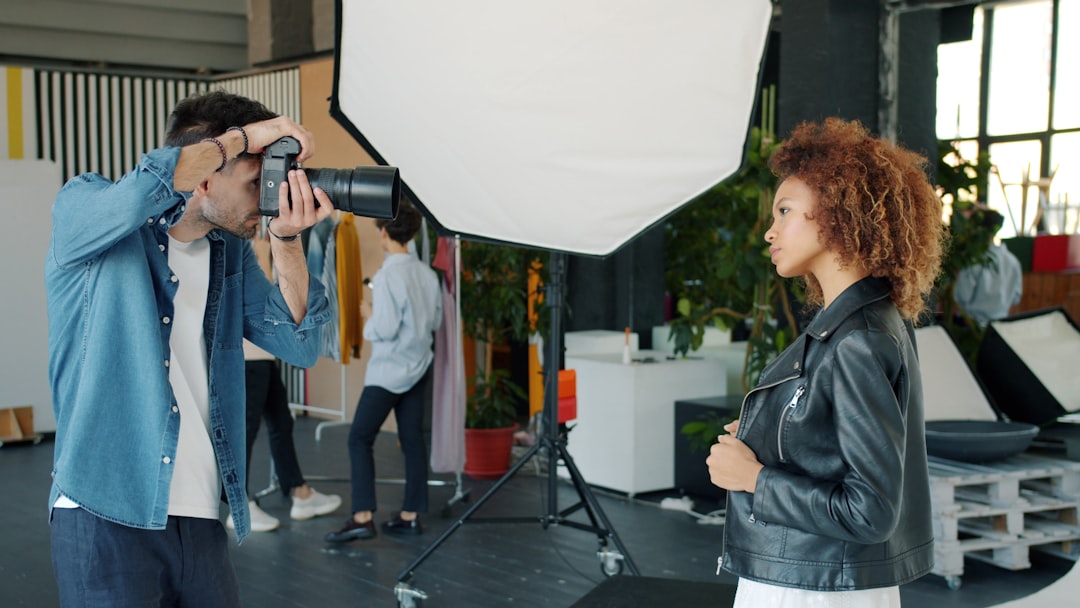
The three input factors that most directly affect output quality are lighting, background cleanliness, and image resolution. Flat, uneven lighting creates artefacts when the AI attempts to simulate motion because the model cannot accurately read garment depth. Cluttered backgrounds introduce elements the motion model may animate incorrectly. Low-resolution images produce video that looks soft at full-screen playback on mobile.
This does not mean you need a professional studio. It means you need controlled conditions. A clean background, consistent light source, and a modern smartphone camera shooting at full resolution will produce input images that AI tools can work with effectively. For a practical guide to lighting setups that work specifically for fashion content, Fashion Video Lighting: 5 Setups That Make Clothes Pop is worth reading before you build your shooting workflow.
Matching AI Output to Platform Requirements
The platforms your brand operates on should directly shape how you configure and use your AI video tools. Each platform has different content norms, optimal video lengths, and audience behaviours that affect what style of AI-generated video will perform.
TikTok rewards fast-cut content, trending audio, and hooks delivered in the first two seconds. AI-generated outfit videos for TikTok should be short (under thirty seconds), motion-heavy, and formatted for immediate impact. Dynamic transitions and rapid outfit changes perform well. For a detailed breakdown of TikTok-specific video strategy, see How to Create TikTok Outfit Videos That Actually Convert.
Instagram Reels tends to favour slightly longer, more polished content where brand aesthetic is more visible. AI videos for Reels benefit from consistent colour treatment, branded lower thirds, and a visual style that connects to the wider feed aesthetic.
YouTube Shorts is increasingly being used by fashion brands as a discovery channel, with longer-form content living on the main channel and Shorts driving top-of-funnel awareness. AI-generated content works well here for product showcases and outfit-of-the-day formats.
Pinterest operates differently from the other three. Video Pins are indexed for search, which means your AI video output needs to be built around keywords as much as aesthetics. Slower, more detailed outfit showcases tend to outperform fast-cut content on this platform.
Building a Scalable AI Video Workflow
The brands producing the most content in 2026 are not working harder — they have restructured their content workflows around AI tools. A scalable workflow typically looks like this:
- Batch photo capture: Shoot a week or two weeks of outfit content in a single session, maximising the return on any styling and setup investment.
- AI video generation: Process all images through the AI fashion video generator in a single batch run, producing platform-formatted outputs for each piece.
- Light editing pass: Review outputs, add music or trending audio, adjust captions, and apply any brand-specific text overlays.
- Scheduled publishing: Load the completed videos into a scheduling tool and distribute across platforms according to your content calendar.
This structure allows a small team — or a solo creator — to maintain daily publishing across three or four platforms without the production overhead that would traditionally require a videographer, editor, and social media manager working in parallel.
Measuring What Your AI Videos Are Actually Doing
Producing more content is only valuable if the content drives measurable outcomes. The metrics that matter most for AI-generated fashion video are not vanity metrics. Watch time completion rate tells you whether the video holds attention. Click-through rate from video to product page tells you whether it drives purchase intent. Saves and shares indicate whether the content is resonating beyond the initial impression.
Setting up tracking correctly from the start means you can identify which video formats, outfit categories, and platforms are generating returns, and allocate your AI video production accordingly. For a full breakdown of the metrics worth monitoring, the guide to Fashion Video Marketing KPIs You Should Actually Track covers the measurement framework in detail.
FAQ
What is an AI fashion video generator?
An AI fashion video generator is a software tool that uses artificial intelligence to transform static outfit or product photographs into short-form video content. The AI analyses the garments in the image, simulates realistic fabric motion, and outputs a formatted video ready for platforms like TikTok, Instagram Reels, and YouTube Shorts — without requiring manual animation or video editing.
Do I need professional photography to use an AI fashion video maker?
Professional photography is not required, but input quality directly affects output quality. Images should be well-lit, shot against a clean background, and captured at high resolution. A modern smartphone camera in a controlled lighting environment will produce images that AI tools can process effectively. Poor lighting, low resolution, or cluttered backgrounds will produce lower-quality video output regardless of the tool used.
Which platforms does AI-generated fashion video work best on?
AI-generated fashion video performs well across TikTok, Instagram Reels, YouTube Shorts, and Pinterest Video Pins. Each platform has different content norms — TikTok favours fast, dynamic content while Pinterest rewards detailed, search-optimised showcases. The best AI tools produce correctly formatted output for all major platforms from a single source image, allowing brands to publish across their full platform mix efficiently.
How many videos can I realistically produce using AI video tools for fashion?
With a batch workflow, a single photo shoot can generate enough source material for a week or more of daily cross-platform publishing. Brands using AI video tools consistently report producing three to five times more content than they could with traditional video production methods, without a proportional increase in time or cost. The exact output volume depends on the tool’s batch processing capacity and your editing and review process.
Is Outfit Video suitable for small fashion brands and independent creators?
Outfit Video is specifically designed to be accessible for small fashion brands, boutiques, and independent creators who do not have access to professional video production resources. The tool transforms outfit photos into platform-ready videos without requiring video editing skills, making consistent high-volume content production achievable for teams of any size.
Ready to turn your outfit photos into scroll-stopping videos? Try Outfit Video free and create your first AI fashion video in minutes.
Ready to turn your outfit photos into scroll-stopping videos? Try Outfit Video free and create your first AI fashion video in minutes.