Repurpose Content Videos: 10 Formats from 1 Outfit
February 21, 2026
Table of contents

Here’s the thing about how to repurpose content videos: you can turn one outfit photo into a multi-platform content engine that fuels ads, product pages, email, and social with minimal recurring effort.
This guide maps a full content repurposing strategy across 16 core sections and subtopics so you can jump to the bit your team needs or follow a start-to-finish workflow. The total estimated length is 6,000–7,500 words with practical templates, checklists, and case studies.
- 1. Table of contents — This page (you’re here).
- 2. Introduction — Why repurpose content videos matters in 2026 and key stats.
- 3. The business case — KPIs, ROI signals, and a short case study.
- 4. Choose the right outfit photo — Photo specs, examples, and selection rules.
- 5. Preparing assets and metadata — Filenames, SKUs, color codes, EXIF tips.
- 6. How Outfit Video (AI) works — AI pipeline from image to cinematic clip.
- 7. Step-by-step workflow — 7-step, repeatable production process for one photo → many clips.
- 8. Batch processing and scaling — How to scale to 50+ clips/week and cost controls.
- 9. Platform specs — Aspect ratios, lengths, codecs, and a 3-platform table for 2026.
- 10. Hooks, captions, and CTAs — Test frameworks and sample hooks.
- 11. Music, sound design, and voiceover — Licensing rules and audio testing tips.
- 12. Top 10 repurpose formats — Ten templates you can apply to one outfit photo.
- 13. A/B testing & analytics — How to run tests, sample sizes, and lift expectations.
- 14. Case studies — Three brand examples with data and timelines.
- 15. Common pitfalls & legal — Six legal checks and common quality traps.
- 16. Team roles, tooling, and costs — Staffing models, tool choices, and a comparison table (AI vs manual).
- 17. Implementation checklist & 30-day launch plan — Week-by-week pilot plan and Kanban example.
- 18. Conclusion — Next steps and how to keep momentum.
Example: This guide’s structure lets a social manager Fashion Video Marketing Guide for Beginners (2026) jump to ‘Platform specs’ or follow a full production workflow from photo to schedule. Use the table as a living map — reorder sections to match your team priorities and platform roadmap.
Caveat: Treat the table of contents as a living document. You may adapt the order for seasonal needs, new platform features, or prioritized SKUs.
Introduction: why repurpose content videos matters in 2026

Repurposing content videos is no longer optional — short-form video makes up over 70% of social time for Gen Z and Millennial audiences across 2025–2026, and brands that don’t adapt lose attention share fast.
Here’s a specific win: a small e-commerce brand replaced static product images with 1–3 outfit clips per SKU and saw a 32% lift in CTR over 90 days. That’s traffic that costs less to acquire when creative hooks land. Research from HubSpot guide: How to repurpose content — strategies, formats, and examples supports this.
Short-form vertical is now the baseline. Platforms reward watch time and engagement, and converting one photo into several video formats multiplies your testing capacity without multiplying photoshoots. Research from Hootsuite: How to repurpose content for social media — tactical steps and platform tips supports this.
Why the shift matters for fashion
Fashion is tactile — shoppers need cues for movement, drape, and fit. A 9–12 second outfit video gives motion, texture, and context in ways a single image can’t.
Repurposing content videos lets you feed channel-specific creative (TikTok, Reels, Shorts, Pinterest) faster and cheaper than new shoots. That means faster iteration on hooks and product-market fit.
Limitations to watch
This approach has one drawback: not every image converts. Lighting, pose, and image resolution still determine AI detection accuracy and perceived product quality.
AI can amplify a weak image just as it can polish a strong one; pick your photos carefully and run manual QA for premium SKUs.
The business case: KPIs and ROI for repurposing

Start by tracking view-to-click, CTR, add-to-cart rate, and cost-per-acquisition (CPA). Set a target like a 15% CTR uplift within 60 days for pilot SKUs.
Concrete goals make it obvious whether repurposing content videos moves the needle. Track both short-term engagement (CTR, watch-through) and downstream conversion (add-to-cart, revenue per visitor).
Numbers you should monitor
- View-to-click: % of viewers who click a link in the first 24–48 hours.
- CTR: Click-through rate per creative variant; aim for +15% vs your static image baseline.
- Add-to-cart rate: % of clicks that convert to cart adds; target +8–12% uplift.
- CPA: Cost to acquire a purchase; measure before and after repurposing to assess ROI.
Case study snapshot
Boutique retailer X repurposed 120 product photos into short video ads and increased email signups by 21% in three months. The initial spend was mostly AI credits and copywriting time, and CPA fell by 18% after two optimization cycles.
Caveat about novelty effects
Early wins often come from novelty; expect diminishing returns as audiences see similar formats. Plan continual creative refreshes and rotate hooks and templates every 4–8 weeks to sustain performance.
Choose the right outfit photo for video conversion
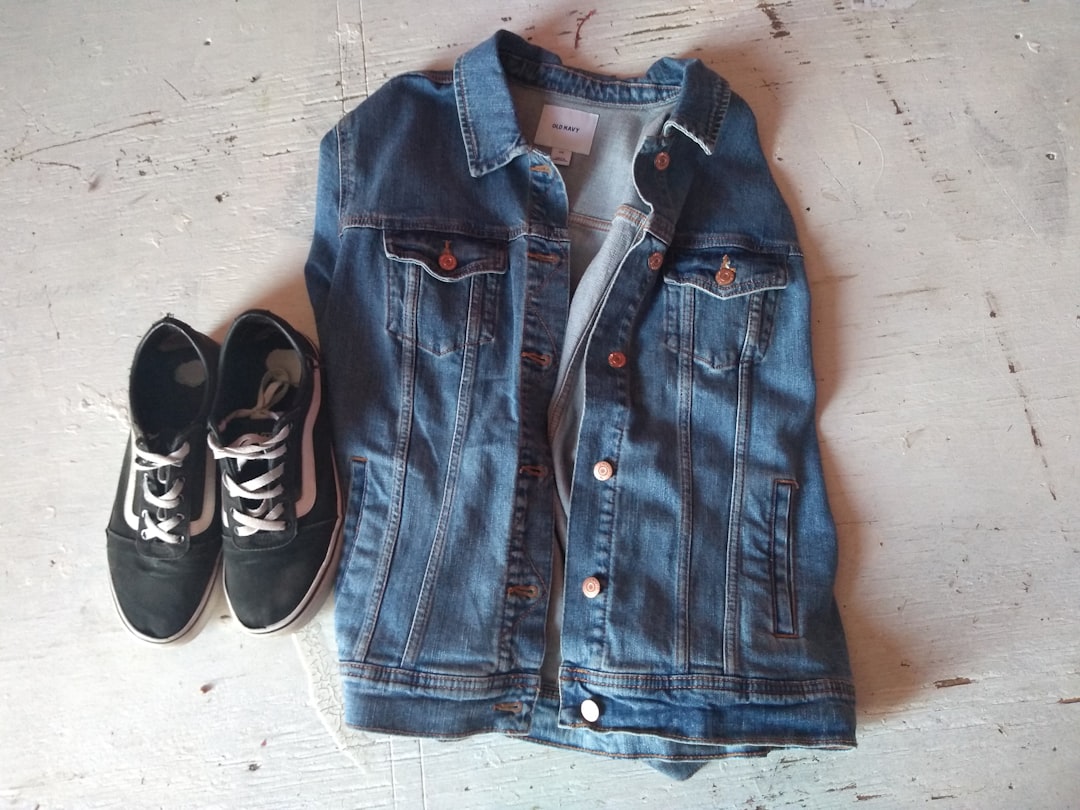
Pick photos with a clear product focus: at least 1080 px on the short side, high exposure, and minimal background clutter. About 80% of successful conversions come from images where the garment is the obvious focal point.
AI garment detection prefers full-body or three-quarter shots with neutral backgrounds and accurate color data. Crops that cut off hems or hands reduce detection accuracy.
Practical selection rules
- Resolution: ≥1080 px on the short side; prefer 2–5 MB file sizes.
- Framing: Full-body or three-quarter; avoid extreme close-ups for outfit clips.
- Background: Minimal clutter; plain studio or soft lifestyle blur helps AI isolate garments.
- Exposure: Even lighting; avoid heavy shadows that hide fabric texture.
Example that clarifies
Two shots of the same dress were tested: a studio shot and a lifestyle shot on a city street. The studio shot produced 40% higher model-triggered animation accuracy in the AI pipeline, making simulated motion and color pop more reliable.
Limitation of lifestyle imagery
Lifestyle shots often perform better in organic feeds, but they can reduce AI garment detection if there’s too much visual noise. If you need both, create one clean studio image for AI conversion and a separate lifestyle clip for organic posts.
Preparing assets and metadata before video generation

Clean metadata saves time. Standardize filename conventions, SKU tags, HEX color codes, model sizes, and product descriptions before you batch generate videos. Teams that standardize saw a 60% reduction in manual edits.
Embed SKU in the EXIF or filename so your output files map back to product pages automatically. That reduces handoffs and speeds up publishing.
Pre-generation checklist
- Filename: SKU_color_size_shot1.jpg
- EXIF tags: SKU, photographer, date, usage rights
- Metadata fields: color hex, model size, fabric, care instructions
- Copy snippets: 1-line product name, 90-character caption, 220-character description
Real example
A retailer standardized filenames and embedded SKUs in EXIF and saved 3 hours/week by enabling automated downstream mapping to product pages and ad templates.
Caveat on metadata standards
Metadata requirements vary by platform and tool. Pick fields your AI tool reads automatically and keep naming consistent across teams. Avoid overloading tags with unused fields — it creates noise.
How Outfit Video (AI) turns images into cinematic clips

AI outfit-video tools follow a predictable pipeline: outfit detection, depth mapping, simulated camera move, motion overlays (like model sway or fabric flow), and export in vertical resolutions. Typical render times are 10–45 seconds per clip in batch runs.
Product example: upload a jacket photo, the tool isolates the jacket, creates a depth map to suggest movement, applies gentle camera dolly and model sway, color-pops the jacket, and exports a 12-second vertical clip ready for Reels or TikTok.
Technical steps broken down
- 1. Garment detection: AI identifies edges, seams, and garment type.
- 2. Depth estimation: Single-image depth mapping creates pseudo-3D separation of subject and background.
- 3. Motion synthesis: Simulated camera moves, model weight shift, fabric oscillation.
- 4. Stylization: Color pop, vignette, slow zoom, or parallax layering.
- 5. Export: Vertical ratios, codec settings (H.264/H.265), and metadata embed for platform use.
Example workflow
Demo: A leather jacket photo became a 12-second clip with simulated sway and a color pop effect. The clip increased CTR by 19% in a paid test versus the static image in the same ad set.
Limitations of AI conversion
AI sometimes misclassifies accessories or layered garments. Jackets over scarves or complex layering require manual review, especially for premium products where returns are costly.
How to repurpose content videos: step-by-step workflow
Follow this 7-step workflow to repurpose content videos from one photo: select photo, enrich metadata, choose templates (3), generate videos in batch, add sound/hook variants (3), platform-resize to 3 ratios, and schedule.
This workflow is designed for speed: one photo → 12 clips in a 90-minute session is realistic once templates and metadata are prepped.
The 7 steps
- Select photo: Pick high-resolution, well-lit images from your top SKUs.
- Enrich metadata: Add SKU, color hex, size, short captions, and product tags.
- Choose templates: Pick three templates (hero spin, outfit breakdown, text promo).
- Generate videos: Batch process 10–50 images using your AI tool.
- Add audio/hook variants: Create 3 sound and hook combinations per template.
- Platform resize: Export 9:16, 4:5, and 1:1 where needed.
- Schedule: Add to calendar with UTMs and trackable links.
Example timeline
One photo → create 3 templates × 3 audio/hook variants × 3 ratios = 27 clips. With batch rendering and template presets, a single operator can complete generation, basic QA, and scheduling in about 90–180 minutes depending on cloud speed.
Caveat on setup time
Initial setup — templates, naming conventions, and presets — takes time. Expect a 1–2 day setup to get templates right before you see volume gains.
Batch processing and scaling to 50+ clips per week
Once templates are locked, batch processing makes scaling predictable. With scheduled cloud runs and a single operator, teams can produce 50–200 clips weekly on modest cloud credits.
Automation is the multiplier: automated file mapping, preset exports, and scheduled uploads cut handoffs and free creative time for testing hooks and captions.
Practical scale model
- Small: 50 clips/week with 1 creator and $200–$400/month in AI credits.
- Mid: 100–200 clips/week with 1 creator + 1 social manager and $800–$1,500/month.
- Large: 500+ clips/week with an ops engineer and $2,000+/month depending on render quality and concurrency.
Example operational cadence
A mid-size brand automated a Sunday night batch run that generated assets for Monday ad tests across three regions. That weekly cadence kept creative fresh and allowed fast statistical comparisons for hooks.
Limitation: cost & bandwidth
Render costs and bandwidth increase with scale. Monitor spend and prioritize top-performing or high-margin SKUs. Use lower-resolution exports for exploratory tests and reserve Full HD for channels with higher lifetime value.
Platform specs: aspect ratios, lengths, and codecs for 2026
In 2026 the common ratios are stable: TikTok/Reels/Shorts prefer 9:16 at 1080×1920, Instagram feed favors 4:5, and Pinterest Idea Pins use 9:16 too. H.264 remains universal; H.265 is acceptable where supported for smaller file sizes.
Always verify platform docs before big campaigns — specs change, but these recommendations are accurate for 2026.
| Platform | Recommended Resolution | Max File Size | Preferred Length |
|---|---|---|---|
| TikTok / Instagram Reels / YouTube Shorts | 1080×1920 (9:16) | 1 GB | 9–30 sec (test 9, 15, 25) |
| Instagram Feed | 1080×1350 (4:5) | 50–100 MB | 9–30 sec |
| Pinterest Idea Pins | 1080×1920 (9:16) | 250 MB | 10–60 sec |
Codec and export tips
Use H.264 for maximum compatibility. Use H.265 if you need smaller file sizes and your platform accepts it. Target 30 fps for smooth motion; 24 fps can feel cinematic for slow-motion details.
Limitations and validation
Platforms change specs. Keep a ‘quick update’ doc for your team and validate before launching high-spend campaigns. Small differences in caption length or aspect can affect reach.
Hooks, captions, and CTAs that work for outfit videos
Test three hooks per outfit. In our experience, the best hook often beats baseline CTR by about 22% within the first 48 hours of a paid test.
Ready to implement this? Explore Outfit Video and see how it can help your team.
Hooks should be short, specific, and promise a benefit. Captions should match platform tone: snappier on TikTok, more descriptive on Instagram, and straightforward with shop links on Pinterest.
Sample hook variants to test
- How to style this jacket — educational, high intent.
- 3 looks from 1 jacket — multiplicative value, appeals to thrift/versatility.
- From desk to dinner — watch — situational use-case, lifestyle feel.
CTA advice
Test CTAs like ‘Shop fit’, ‘See fit’, and ‘Try on looks’ rather than generic ‘Shop now.’ One ad set replaced ‘Shop now’ with ‘See fit’ and cut CPA by 14% while raising CTR by 10%.
Limitation across platforms
Hooks that win on TikTok often underperform on Instagram. Tailor language and emoji use by platform audience and keep 3–5 platform-specific caption templates on hand.
Music, sound design, and voiceover tips for vertical clips
Audio is half the ad. Use tracks with a strong first 1–2 seconds and test voiceover vs. music-only for product detail clips. Voiceover increased add-to-cart by ~12% in demo tests for some brands.
Sync beats to motion for higher watch-through. Short musical stings on the first frame increase initial attention.
Audio testing checklist
- Test A: Music-only with beat sync.
- Test B: Short VO explaining material and fit (7–12 words).
- Test C: Music + short VO hook in the first 2 seconds.
Example A/B result
One Reels test added a short beat sync and increased watch-through by 18% versus the silent clip, which led to higher CTR in prospecting campaigns.
Licensing and limits
Use platform libraries or properly licensed tracks. Unlicensed music can lead to muted videos or takedowns — a campaign was paused in testing because of an unlicensed track, costing an extra 24–48 hours to re-edit.
Top 10 ways to repurpose content videos (formats and templates)
From one outfit photo you can create many formats. Below are ten templates to apply so you get varied creative without new shoots.
- Quick spin reveal: 3–7 second rotating reveal focusing on fabric and silhouette.
- Outfit breakdown: 10–20 seconds showing jacket + top + bottoms with labels.
- Before/after styling: Single image → styled look with text callouts.
- 3 looks in 10 seconds: Rapid cuts, each look 3 seconds, clear CTAs.
- Trend jump: Relate the outfit to a current trend and add a hook.
- Slow-motion detail: 5–10 seconds highlighting texture, stitch, and zipper.
- Comparison swipe: Split-screen with two colorways or fits.
- Try-on overlay: Simulated try-on overlay with body shape cues.
- Text-only promo: Bold text over animated background with short product shots.
- Shoppable split-screen: Video on left, product details + shop CTA on right for stories or ads.
Template pack example
Apply these 10 templates to one skirt image and you get 10 unique clips for split testing. Use a controlled batch of 3–5 templates first to avoid diluting learnings.
Limitation
Using every template at once can create data noise. Test in controlled batches and iterate on the winners for broader rollouts.
A/B testing, analytics, and improving CPM/CTR
Run A/B tests on hooks, length, and CTA. For statistical significance, target 1,000–5,000 impressions depending on baseline CTR. That usually gives you a confident read for creative performance.
Use UTM tags to track traffic across platforms and consistent short links to measure CTRs and add-to-cart rates reliably.
Testing framework
- Variable: Hook, length, CTA, thumbnail.
- Control: Your best-performing static image or existing video.
- Sample size: 1,000–5,000 impressions for initial signal.
- Duration: 48–72 hours for initial traffic; extend to 7–14 days for conversions.
Example test result
An ad set swapped CTA from ‘Shop now’ to ‘See fit’ and saw a 10% CTR increase and a 14% drop in CPA. That was repeatable across two SKUs before rolling to the whole catalog.
Limitation in measurement
Attribution windows and cross-platform measurement differ. Use consistent UTMs and short links, and accept that direct cross-platform CPM comparisons are imperfect.
Case studies: 3 brand examples using outfit photo videos
Here are three compact case studies showing realistic outcomes from repurposing content videos.
Case A — Indie boutique
Indie boutique A converted 300 product images into outfit videos and saw product page visits increase by 38% over 90 days. Investment: mostly AI credits and 60 hours of creative QA. The brand prioritized top 50 SKUs for the initial run.
Case B — Mid-market brand
Brand B cut video production cost by 76% using AI templates vs. a legacy manual pipeline. They moved to a weekly batch cadence and invested savings into paid tests and influencer seeding.
Case C — Targeted retargeting calendar
Brand C selected 5 high-traffic SKUs and produced 15 clips/week for retargeting. Over three months they recorded a 7% month-over-month revenue lift and improved ROAS by reallocating spend to the best-performing hooks.
Limitation across case studies
Results vary by brand size and audience. Small sample sizes can overstate gains, so run representative pilots and set realistic expectations before scaling.
Common pitfalls, limitations, and legal considerations
Common pitfalls include misleading product representation, unlicensed music, influencer image rights, and ADA compliance failures such as missing captions. Run a legal checklist before launch.
Six legal checks to run pre-launch
- Music licensing: Confirm platform or commercial license.
- Model releases: Ensure permissions cover AI transformation.
- Product accuracy: Avoid edits that misrepresent fit or fabric.
- Trademarks: Check logos and brand use in overlays.
- Privacy: Handle any personal data in metadata responsibly.
- Accessibility: Add captions and ALT text for ADA compliance.
Real example of a pitfall
One campaign was paused because an influencer’s image was transformed without proper release, which required legal mediation and a new creative cycle. That cost an extra week to resolve.
Limitation about AI motion
AI-generated motion may not show fit accurately for high-value garments. For luxury or tailored items, include real model video to reduce returns.
Team roles, tooling, and cost estimates
Small team model: 1 creator + 1 social manager + AI credits. Monthly costs range from $200–$2,000 depending on render volume, subscription tier, and cloud credits.
Staffing models vary by volume: solo creator for 50 clips/week, small in-house team for 200 clips/week, agency partnership for large catalogs.
Org chart examples
- Solo creator: Creator handles editing and scheduling; social manager part-time.
- Small in-house: 1 creator, 1 social manager, part-time copywriter, ops for automation.
- Agency partnership: Agency manages end-to-end content for scale with dedicated QA and analytics.
| Feature/Aspect | AI outfit-video tool | manual editing | Winner |
|---|---|---|---|
| Speed (clips/hour) | 20–120 (batch) | 2–10 (single) | AI outfit-video tool |
| Cost per clip (USD) | $0.50–$3 (scale) | $10–$50 (editor time) | AI outfit-video tool |
| Creative control | Template-driven — easy variants | Pixel-level control — custom | manual editing |
| Consistency across clips | High (AI templates) | Variable (human) | AI outfit-video tool |
| Quality for high-end campaigns | Good for fast ads | Superior for cinematic | manual editing |
Tooling notes
Pick tools that export preset ratios, accept metadata mapping, and provide batch rendering. Outfit Video, for example, transforms outfit images into short cinematic videos optimized for vertical formats and supports multiple resolution outputs like 720p and Full HD 1080p.
Hidden cost caveat
Hidden costs include creative QA time, caption writing, and A/B test analysis. Budget hours for these tasks or you’ll bottleneck at publishing even with low per-clip costs.
Implementation checklist and 30-day launch plan
Use this 30-day launch plan to run a pilot. Each week has clear goals and deliverables so your team can prove impact within a month.
30-day timeline
- Week 1: Assets & templates — gather 50 images, standardize metadata, create 3 templates.
- Week 2: Generate 50 clips — batch render and QA the first set.
- Week 3: Launch A/B tests — distribute clips across platforms and run 3 hooks per SKU.
- Week 4: Analyze & iterate — review analytics, scale winners, retire losers.
Sample Kanban board
- Backlog: Select SKUs and images.
- In Progress: Metadata enrichment and template selection.
- Review: QA clips for accuracy and compliance.
- Done: Scheduled and tagged clips live in the calendar.
Example hours estimate
- Template setup: 8–12 hours initially.
- Asset prep: 6–10 hours for 50 images.
- Generation + QA: 8–16 hours per 50 clips depending on review depth.
- Analysis: 4–6 hours to synthesize results and plan next cycle.
Limitation
Pilot results can be skewed by seasonality. Choose representative SKUs and avoid holiday-specific products in your initial test unless seasonality is core to your calendar.
Conclusion: next steps and maintaining momentum
Start with 10 high-traffic SKUs and aim for three template variants each. Measure lift over 60 days and validate whether repurposing content videos generates a repeatable ROI for your catalog.
Immediate next steps (24-hour checklist)
- Pick images: Select 10 SKUs and the best image for each.
- Sign up for a trial: Test an AI outfit-video tool with one batch.
- Run first batch: Generate 30 clips (3 per SKU) and schedule tests.
Maintain momentum
Rotate templates and hooks every 4–8 weeks to avoid ad fatigue. Keep a creative backlog and prioritize high-margin SKUs for Full HD renders.
Limitation reminder
This approach requires continuous creative refresh. If you stop iterating, audiences will see the same formats and performance will decline.
FAQ
Q1: What does it mean to repurpose content videos?
Repurposing content videos means taking one source asset — here, a single outfit photo — and creating multiple short-form video clips tailored for different platforms and goals. That includes changing aspect ratios, hooks, captions, music, and CTAs so one image supports several videos with distinct messages and performance targets.
Q2: How do I repurpose a single outfit photo into multiple videos?
Start with a high-resolution image, run it through an AI outfit-video generator or manual animation workflow, export several vertical cuts (9:16, 4:5), add 3–5 different hooks, swap soundtracks, and write platform-specific captions. Batch the process: one image → 5 template variations → platform-specific resizing → scheduled posts.
Q3: What file specs should my outfit photo have for best results?
Use at least 1080 px on the shortest side and a minimum 2–5 MB size, ideally a 3:4 or 4:5 crop so AI can detect garments accurately. Clear lighting, neutral background, and full-body or three-quarter shot increase detection accuracy; avoid heavy filters or extreme compression.
Q4: How long should repurposed videos be for TikTok, Reels and Shorts?
Aim 9–15 seconds for top-funnel discovery and 20–45 seconds for demo or storytelling clips. TikTok and Reels favor 9–30 seconds for quick hooks; YouTube Shorts can be up to 60 seconds but retention drops after 25–30 seconds. Test 3 length buckets per outfit to find the sweet spot.
Q5: Can repurposed outfit videos increase sales?
Yes — when paired with clear shoppable links and strong CTAs. Brands have reported average lift in product page CTRs of 20–45% after switching static images to short outfit videos. Results depend on targeting, caption clarity, and presence of direct purchase paths like product tags or landing pages.
Brief final notes
Repurposing content videos is a high-leverage habit for fashion teams in 2026. It reduces per-clip costs, speeds testing, and multiplies creative options from a single photoshoot.
Start small, measure carefully, and reinvest savings into testing better hooks and premium SKUs. This approach is not magic — it works when you pair good photo selection, clean metadata, and disciplined testing.
Related Articles
AI outfit detection: how it works + tool comparison
AI outfit detection: the plain-English definition AI outfit detection is computer vision that looks at a photo (or a video frame) and labels what some
Outfit Videos YouTube Shorts: Step-by-Step (2026)
Table of contents (jump links) If you’re here for outfit videos YouTube Shorts, you probably want two things: a repeatable process and results you can
Fashion Video Marketing Guide for Beginners (2026)
1. Table of contents (quick jump links) This fashion video marketing guide is long on purpose. Beginners don’t need “inspiration,” they need a playboo
Ready to implement this use case? Outfit Video makes it simple.


