Fashion Video Marketing Guide for Beginners (2026)
February 20, 2026
1. Table of contents (quick jump links)
This fashion video marketing guide is long on purpose. Beginners don’t need “inspiration,” they need a playbook they can skim fast, then come back to when they’re stuck.
Here are quick jump links grouped by Strategy, Production, Posting, Ads, and Analytics. If you can scan this in under 20 seconds, you’ll know exactly where to start.
Start here (beginner fast track): If you only read five sections today, read these in order: Intro, Fashion video marketing basics, Set goals that don’t lie, Audience research for fashion, Your beginner video strategy: the 3-bucket system.
- Strategy
- 2. Intro: what this fashion video marketing guide covers
- 3. Fashion video marketing basics: the beginner mental model
- 4. Who fashion video marketing is for (and who should skip it)
- 5. Set goals that don’t lie: awareness vs clicks vs sales
- 6. Audience research for fashion: what people actually want to see
- 7. Positioning: pick a clear style lane
- 8. Your beginner video strategy: the 3-bucket content system
- 9. Fashion brand videos that sell: 12 proven video angles
- 20. Content pillars and series ideas
- Production
- 10. Beginner gear: what you need (and what you don’t)
- 11. Vertical video specs that avoid ugly compression
- 12. Lighting for fashion: make fabric and color look real
- 13. Sound, captions, and accessibility
- 14. Storyboards and shot lists: the no-stress way to batch content
- 15. Hooks that work in fashion: 25 swipe-stopping openers
- 16. Scripts for beginners: word-for-word templates
- 17. Editing basics: keep it simple
- 18. AI workflow: turn outfit images into videos
- 19. Using Outfit Video in a beginner video strategy
- Posting + distribution
- 21. Platform-by-platform basics (TikTok, Reels, Shorts, Pinterest)
- 22. Posting frequency and timing
- 23. Captions, CTAs, and comments
- 24. Hashtags and keywords for fashion
- 25. Shoppable video and product pages
- 26. Email + SMS + video
- 27. Influencers and UGC
- Ads
- 28. Paid ads with fashion video: beginner testing plan
- Analytics + ops
- 29. Analytics that matter
- 30. Common mistakes (hot takes)
- 31. Legal, rights, and music
- 32. Production checklist + templates
- 33. Related topics (spokes): what to read next
- 34. Conclusion: your 14-day beginner plan
- FAQ
One caveat: TOCs can get long. That’s why AI video creation fashion: Outfit Video vs top tools this one is grouped. If you’re overwhelmed, ignore everything except the “Start here” list and you’ll still make progress this week.
2. Intro: what this fashion video marketing guide covers
This fashion video marketing guide is built for beginners who want repeatable output, not a one-time viral miracle. The goal is simple: publish consistent short-form videos that show fit, fabric, and styling clearly enough that people click, save, and buy.
Here’s the thing: you don’t need a full-time content team. If you can commit 1–2 hours per week, you can realistically batch 4–6 posts—especially if you reuse the same structure every time.
A real-world example: a boutique owner with 40 SKUs takes Research from YouTube Creative Works: video ad best practices for effective creative supports this.one outfit photo per SKU (sometimes just a flat-lay), then turns those into weekly Reels. She batches on Sunday, posts Tuesday through Saturday, and uses comments (“Is it see-through?” “What size are you?”) as next week’s script.
This guide covers the full beginner loop: Research from Shopify’s video marketing guide for ecommerce brands supports this.
- Strategy: what to post, why it works, and how to pick a style lane
- Production: simple gear, lighting, vertical specs, hooks, scripts, editing
- Distribution: TikTok vs Reels vs Shorts vs Pinterest, posting cadence, captions, CTAs
- Monetization: shoppable video, product pages, email/SMS distribution, UGC
- Ads + analytics: a testing matrix and a “beginner dashboard” you can review weekly
Honest limitation: no guide can guarantee virality. Virality is messy and often random. What you can control is repeatable output and measurable sales lift—like improving product-page conversion by a fraction of a percent after adding video.
If you finish this and still feel stuck, it usually comes down to one of three things: (1) you’re not showing the product fast enough, (2) you’re not giving proof (movement, close-ups, sizing), or (3) you’re posting without a clear goal. We’ll fix all three.
3. Fashion video marketing basics: the beginner mental model
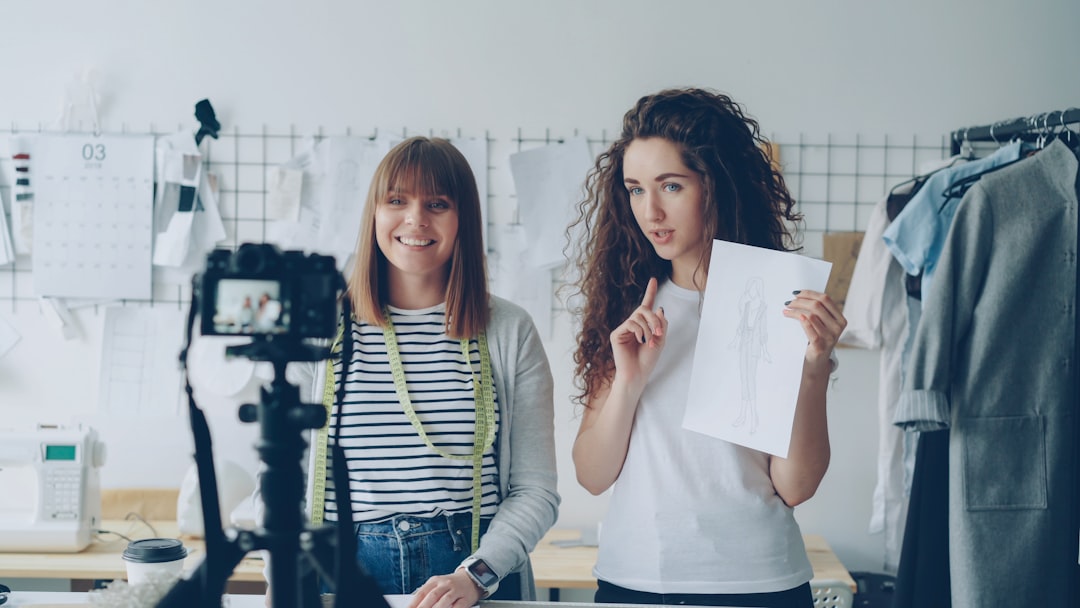
Fashion video works because it reduces uncertainty. Photos can’t show drape, stretch, transparency, or how a hem moves when someone walks. Video can, and that’s why it converts.
The easiest mental model for beginners is a four-beat funnel you can reuse forever:
- Hook: earn the next second
- Proof: show the claim (movement, close-up, demo)
- Product: name it, show it, anchor the price/value
- CTA: tell them what to do next
Here’s a clean fashion example that fits in 9–15 seconds:
- Hook: “Fit check for petites who hate stiff denim.”
- Proof: mirror walk + sit test + waistband pinch
- Product: “High-rise curve jean, sizes 24–34” + price overlay
- CTA: “Comment ‘link’ and I’ll reply with sizing notes.”
Notice what’s missing: cinematic fluff. Beginners often overthink “brand storytelling” and forget the job of the video is to answer buying questions fast.
A caveat that saves people months: copying trends without product relevance often spikes views but not sales. A trending audio with a cute transition can pull 80,000 views and still sell zero units if you never show fit, sizing, or why the piece is different.
A beginner’s rule that keeps you honest
If your video doesn’t clearly communicate one of these in the first 3 seconds, it’s probably not doing sales work:
- Who it’s for: “petite,” “tall,” “broad shoulders,” “modest,” “office wear”
- What problem it solves: “no gaping,” “not see-through,” “doesn’t wrinkle”
- What occasion it fits: “wedding guest,” “work trip,” “school pickup”
4. Who fashion video marketing is for (and who should skip it)
This fashion video marketing guide is for people who want consistent demand and clearer product communication. It’s not just for influencers with perfect lighting and a ring light sponsorship.
Fashion video marketing is a great fit for:
- Creators and influencers: grow audience, land brand deals, drive affiliate sales
- Boutiques and small shops: explain fit, reduce DMs, move new arrivals fast
- DTC brands: improve conversion rate, reduce returns, build repeat buyers
- Designers: justify premium pricing with process and detail
- Stylists: show transformations and build trust at scale
- Advertisers/social media managers: test hooks and angles like a performance channel
A concrete example: a designer selling a $280 dress uses behind-the-scenes clips—pattern drafting, fabric sourcing, seam finishing—to justify the price without sounding defensive. People don’t just buy a dress; they buy the reason it costs what it costs.
Who should skip (or at least slow down): if you have fewer than 5 products and no restock plan, viral demand can backfire. Overselling creates refunds, angry comments, and a customer support mess that kills momentum.
Another limitation: if your margins can’t handle returns, you need to prioritize sizing/fit proof content first. Pretty videos won’t save a product that confuses buyers.
5. Set goals that don’t lie: awareness vs clicks vs sales
Beginners get trapped by vanity metrics. Views feel good, but they don’t pay for inventory. Set goals in tiers so you know what “working” actually means.
Tier 1: Awareness (reach)
Use this when you’re new or launching a new category.
- Target: consistent reach growth week-over-week
- Simple benchmark: aim for 5,000–20,000 views per week across all posts within 30–60 days
- What to watch: 3-second views and follows per 1,000 views
Tier 2: Consideration (engaged views)
This is where fashion content starts doing real work: saves, shares, profile taps.
- Target: 15–30% of viewers reaching the midpoint of a 12–15 second video
- Engagement goal: improve saves per 1,000 views (styling and capsule content shines here)
Tier 3: Conversion (sales lift)
This is the “don’t lie” tier because it touches your store numbers.
- Target: a measurable lift in store performance
- Beginner-friendly KPI: +0.5% product-page conversion rate after adding video
- Other options: higher add-to-cart rate, lower return rate, higher AOV via bundles
Example: you add a 15-second fit + fabric video to your top 10 product pages and your conversion rate goes from 2.4% to 2.9%. That’s a 0.5 percentage point lift. On a store doing 20,000 sessions/month, that’s not “content.” That’s money.
Caveat: platform view counts can inflate ego. Track store metrics weekly, not when you feel anxious. Pick a consistent review day (like Monday) and compare week-over-week.
6. Audience research for fashion: what people actually want to see
Fashion audience research is mostly listening. The best content ideas are already sitting in your comments, DMs, returns, and customer support tickets.
Here’s a method that works even if you only have 300 followers: pull 20 real questions and turn them into 20 videos. FAQ-driven content is the easiest way to stay relevant and sell without sounding salesy.
Where to pull questions fast
- Comments: “Is it lined?” “Does it stretch?” “What’s your height?”
- DMs: “Can you show it with sneakers?” “Is it nursing-friendly?”
- Product reviews: “Runs small,” “Color is warmer than photos”
- Returns: “Too sheer,” “Too short,” “Sleeves tight”
- Competitor comments: see what shoppers ask on similar products
Example: someone asks “Is it see-through?” Turn that into a 9-second fabric test:
- Hook: “Is this white skirt see-through?”
- Proof: hand behind fabric + flash test + outdoor light
- Product: “Double-lined, no show-through”
- CTA: “Comment ‘white’ for sizing notes.”
Limitation: audience feedback skews vocal. The loudest commenters aren’t always the buyers. Validate with sales data: if your “pockets test” videos get average views but correlate with fewer pre-purchase questions and higher conversion, keep doing them.
7. Positioning: pick a clear style lane (so the algorithm can place you)
Algorithms don’t “understand fashion.” They understand patterns: who watches, who re-watches, who saves, who shares. Your job is to make your account easy to categorize.
Pick 1–2 style identities and stick to them for at least 30 days.
- Minimalist workwear: neutrals, tailoring, office-to-dinner
- Y2K street: low-rise, baby tees, bold accessories
- Modest fashion: coverage-first styling, layering, fabric opacity
- Petite basics: proportion hacks, hem lengths, rise/waist tips
- Elevated casual: “nice top” energy, clean sneakers, easy sets
Example: a “capsule wardrobe” angle turns random drops into a series. Instead of “new arrivals,” you post “3-piece work capsule: blazer + trouser + knit” and every product fits the same story.
Caveat: too many aesthetics on one account confuses new viewers. If your last five posts are cottagecore, techwear, wedding guest glam, and thrift flips, people can’t tell why they should follow.
8. Your beginner video strategy: the 3-bucket content system
Beginners win by being predictable. Not boring—predictable. A simple system keeps you posting when motivation disappears.
Use three content buckets with a ratio that matches how people shop:
- 50% product: fit checks, demos, try-ons, new arrivals
- 30% education: styling tips, sizing guidance, fabric care
- 20% brand/BTS: packing orders, design process, store life
A weekly cadence that’s realistic:
- Monday: fit check (product)
- Wednesday: styling tip (education)
- Friday: BTS packing orders (brand)
- Saturday: fabric test or size compare (product/education)
Why this works: product content creates demand, education builds trust, and BTS makes people care who they’re buying from.
Limitation: if you’re running ads, you may need more product-heavy creative. Ads don’t have time for “vibes.” They need clarity: what it is, who it’s for, why it’s worth it.
9. Fashion brand videos that sell: 12 proven video angles
If you’re staring at your camera roll thinking “I have nothing to post,” steal these angles. They work because they answer buyer questions fast.
- Fit check (full-body): front/side/back + one movement shot
- 3 ways to style: one hero piece, three outfits, quick cuts
- Fabric close-up: texture, weave, stretch, opacity test
- Size compare: same item on two bodies or two sizes on one body
- “Don’t buy this if…”: qualify the customer (reduces returns)
- Occasion styling: “wedding guest,” “office,” “vacation dinner”
- Before/after glow-up: basic outfit → styled outfit (shoes/bag/jacket)
- Details demo: pockets, lining, zipper, adjustable straps
- Try-on haul (mini): 3 items, 3 seconds each, one takeaway
- Care + longevity: wash test, wrinkle test, how it holds shape
- Packaging + unboxing: what arrives, what’s included, how it feels
- Social proof: review screenshot + your demo of the exact claim
Example that consistently reduces returns: “Size S vs L on two bodies”. People don’t just want “true to size.” They want a visual reference: where the waist hits, sleeve tightness, length, and how it moves.
No-model alternatives (when you can’t film try-ons)
- Flat-lay + text overlays: measurements, fabric composition, stretch rating
- Mannequin + movement: slow pan + fabric pull + hem swish
- Photo-to-video: animate product images into short vertical clips (we’ll cover this)
Caveat: some angles require models or UGC. If you don’t have them, don’t freeze. Use flat-lay + text + close-ups and be honest about what you can’t show yet.
10. Beginner gear: what you need (and what you don’t)
You can start fashion video with a phone and decent light. Honestly, the “gear” conversation is often procrastination wearing a trench coat.
Starter kit that’s enough for 90% of beginners
- Phone (any recent model): shoot in 1080p vertical
- $20 tripod: stable framing beats shaky “authentic” footage
- Window light: free and usually flattering
- White foam board ($10): bounce light to reduce harsh shadows
Example: a $15 clip-on mic is only necessary when you’re doing talking-head fit advice (“I’m 5’3, wearing size M, here’s where it hits”). If your content is mostly text overlays + music, skip the mic for now.
Limitation: lighting matters more than camera. Bad lighting makes premium fabric look cheap. If your black looks gray or your white looks yellow, fix lighting before you buy lenses.
11. Vertical video specs that avoid ugly compression
Most “my video looks blurry” problems come from exporting wrong or re-uploading a downloaded copy that’s already been compressed.
Beginner-safe vertical specs (use these by default)
- Aspect ratio: 9:16
- Resolution: 1080 × 1920 (Full HD vertical)
- Frame rate: 24–30 fps (pick one and stay consistent)
- Bitrate: export high if your editor allows it (then let platforms compress once)
- Text safe area: keep text inside the center 80% of the screen
Example: keep your price, size, and CTA inside the center area so TikTok buttons and Reels UI don’t cover them. If you’ve ever seen your “$48” get hidden under a caption bubble, you know the pain.
Caveat: platforms re-encode everything. Export clean, upload the original, and avoid re-uploading a video you downloaded from TikTok or Instagram (that’s compression on top of compression).
12. Lighting for fashion: make fabric and color look real
Lighting is the difference between “premium” and “meh.” It also reduces returns because people aren’t surprised by the color when it arrives.
Rules of thumb that work in a normal home
- Face the light source: window in front of you, not behind you
- Avoid mixed color temperatures: don’t combine warm lamps with cool daylight
- Use consistent placement: same spot, same time of day if possible
- Show color in two lights: quick cut: indoor + near-window
Example: “true black vs washed black” is a real issue on camera. Fix it by locking white balance (or at least not changing rooms mid-video). Show the fabric next to a true white item for reference.
Limitation: shiny fabrics (satin, sequins) can flicker or create weird hotspots. Test angles first. A tiny shift left or right can fix it.
13. Sound, captions, and accessibility (quietly boosts watch time)
A lot of people watch on mute. Not because they hate your voice—because they’re in public, at work, or scrolling next to someone sleeping.
So yes, on-screen text is non-negotiable.
What to include on screen (without clutter)
- Captions: even basic auto-captions help retention
- Size + height: “5’6 / size M” answers the #1 question instantly
- Price (optional): helpful for boutiques; test if it hurts watch time
- One proof label: “not see-through,” “stretchy,” “lined”
Example: captions + size overlay + price overlay can increase clarity in 2 seconds. That’s often the difference between a viewer staying or swiping.
Caveat: too much text becomes visual noise. Keep it to 6–10 words per screen and don’t stack three text boxes on top of each other.
14. Storyboards and shot lists: the no-stress way to batch content
If you want 4–6 posts per week on 1–2 hours, you need batching. Batching needs a template. A template needs a shot list.
The 5-shot template (steal this)
- Shot 1 (Hook): outfit appears immediately, text hook on screen
- Shot 2 (Full-body): front view, 1–2 seconds
- Shot 3 (Close-up): fabric, seam, zipper, lining, stretch
- Shot 4 (Movement): walk, sit, spin, reach test
- Shot 5 (CTA): link prompt, comment keyword, shop tag
Example: a “pockets test” close-up is proof people trust. Put your phone close, show your hand fully inside the pocket, then step back and do a walk test. It’s simple, and it sells.
Limitation: strict shot lists can kill spontaneity. Leave room for one improvised shot per video. Sometimes the best clip is the one you didn’t plan.
15. Hooks that work in fashion: 25 swipe-stopping openers
Your hook is a promise. If the promise is vague, people swipe. If the promise is specific, people stay.
Here are 25 hook formulas you can copy and paste. Swap the bracketed parts with your product.
- “3 outfits, 1 [hero piece].”
- “Don’t buy this [item] if you hate [common issue].”
- “Petite fit check: [item] that doesn’t [problem].”
- “Tall girl test: does it actually reach [ankles/wrists]?”
- “The ‘is it see-through?’ test.”
- “I wore this [item] for 8 hours—here’s what happened.”
- “One skirt, five shoes.”
- “If your jeans gap at the waist, watch this.”
- “This looks expensive because of one detail.”
- “Stop styling [item] like this (do this instead).”
- “What I’d wear to a [occasion] if I hate dressing up.”
- “POV: you want comfy but still look put together.”
- “The easiest outfit formula for [season].”
- “Sizing honest review: I’m [height], wearing [size].”
- “This fabric is either genius or annoying—let’s test it.”
- “I found the non-itchy version of [sweater type].”
- “Before/after: same outfit, different styling.”
- “If you only buy one [category] this year, make it this.”
- “Here’s how to make [item] look less basic.”
- “The ‘sweat-proof’ color test.”
- “Wrinkle test: car seat to dinner.”
- “I hate bras. This top still works.”
- “This dress looks bad in photos—here’s why it sells out.”
- “What no one tells you about [fabric].”
- “If you’re between sizes, do this.”
Example (contrarian hook): “This dress looks bad in photos—here’s why it sells out.” Then you explain: it moves beautifully in real life, the fabric drapes, and the waist seam is flattering in motion.
Caveat: bait-and-switch hurts trust. If your hook promises a “see-through test,” you must show the test. People remember when you waste their time.
16. Scripts for beginners: word-for-word templates (UGC + brand)
You don’t need to “be a natural.” You need a script that sounds like something you’d actually say to a friend.
Here are 6 short scripts you can read word-for-word, then loosen up over time.
Script 1: Try-on fit check (15 seconds)
“Quick fit check. I’m [height] and I’m wearing a size [size]. This is the [product name]. Here’s how it fits from the front, side, and back. The fabric is [stretchy/not stretchy] and it’s [lined/not lined]. If you want my sizing notes, comment ‘SIZE’ and I’ll reply.”
Script 2: UGC-style review (15 seconds, 3 proof points)
“I didn’t expect to love this, but I do. Fit: [what’s good]. Fabric: [how it feels]. Occasion: I’d wear it to [specific place]. If you’re between sizes, I’d [size up/down]. Link’s in bio.”
Script 3: Styling (12–18 seconds)
“Same [hero piece], three looks. Look one: [casual]. Look two: [work]. Look three: [night]. If you want the exact item list, comment ‘LINK’.”
Script 4: Problem/solution (10–15 seconds)
“If you hate when [problem], this fixes it. This [item] has [feature], so it [benefit]. Here’s a quick demo. If you want the sizing chart, comment ‘CHART’.”
Script 5: Unboxing (12–20 seconds)
“Here’s what arrives when you order. Packaging looks like this, and the fabric feels like [description]. This detail is my favorite: [detail]. I’ll pin the link in the comments.”
Script 6: Care tips (12–25 seconds)
“Care tip for [fabric]. Wash on [setting], avoid [thing], and hang dry if you want it to keep its shape. Here’s what it looks like after washing. Save this if you forget later.”
Limitation: overly scripted delivery can feel like an ad. Read it once, then say it again in your own words. Keep one tiny “human” line like “I’m picky about waistbands, and this one doesn’t annoy me.”
17. Editing basics: keep it simple (cuts, text, pacing)
Editing is not where beginners should spend their life. Clarity beats flash, especially in fashion.
Beginner pacing rules
- Cut every 0.5–1.5 seconds for short-form (unless you’re doing a calm styling tutorial)
- Show the product in the first 1–2 seconds
- Use one font and two text sizes (headline + small detail)
- Keep transitions boring (hard cuts are fine)
Example: add a single “size + height” label in the first second. It reduces sizing questions instantly and keeps your comments from turning into a customer support thread.
Limitation: heavy transitions can look dated fast. If your edit is “cool” but viewers can’t tell what the product is, you lose.
18. AI workflow: turn outfit images into videos (when you can’t film)
Some weeks you can’t film. Maybe you don’t have a model. Maybe it’s raining. Maybe your store is chaos. That’s where image-to-video workflows help.
If you’re looking for a solution to implement this, check out Outfit Video to get started.
A simple AI workflow (beginner version)
- Pick an outfit image: product photo, flat-lay, or styled shot
- Upload to an AI video tool: choose a subtle motion style (pan, zoom, parallax)
- Generate motion: let the tool create a short cinematic clip
- Export vertical: 1080 × 1920 (Full HD) for TikTok/Reels/Shorts
- Add minimal overlays: hook text + size/price + CTA
- Post and track: treat it like any other creative
Example: you’re launching a new drop with 10 SKUs. You can create 10 SKU videos from product photos in one afternoon, then publish them across the week with different hooks (“wrinkle test,” “petite length,” “not see-through”).
Limitation: AI motion can misread tricky garments. Spot-check hems, patterns, hands, and edges. If the fabric warps or the silhouette bends unnaturally, regenerate with a subtler motion.
19. Using Outfit Video in a beginner video strategy (practical playbook)
If filming is your bottleneck, a tool like Outfit Video can help you keep output consistent. The basic idea is simple: Transform Outfit Images into Stunning Videos by generating professional short-form clips from a static outfit photo.
How this fits into a beginner video strategy
- Input: upload any outfit photo (flat-lay, mannequin, model, styled shot)
- Process: AI-powered video generation adds motion automatically
- Output: short-form vertical video optimized for TikTok, Instagram Reels, and YouTube Shorts
- Quality choices: export 720p when you need speed, or Full HD 1080p when you want crisp fabric detail
Map features to outcomes (what you actually get)
- AI outfit detection → better motion choices: subtle movement can highlight drape and silhouette instead of random zooms that miss the point
- Optimized vertical formats → less formatting pain: you’re not constantly resizing for 9:16
- Clean exports → fewer compression issues: starting with a high-quality file gives platforms less to ruin
- Encrypted downloads → safer asset handling: useful if you’re sharing product assets with contractors or remote team members
Example: a boutique with no model uses one flat-lay image per product to publish 5 posts/week. They rotate hooks: “see-through test,” “stretch rating,” “work outfit,” “weekend outfit,” “size notes.” Same product, different buyer intent.
Limitation: AI video doesn’t replace real try-ons for fit. If fit is a major objection (jeans, swim, bras), mix AI clips with occasional human proof: one try-on day per month can cover your best sellers.
20. Content pillars and series ideas (so you never run out of posts)
Series content is the cheat code for consistency. People follow when they know what they’ll get next week.
Six pillars with ready-to-run series names
- Fit proof: “Fit Check Fridays”
- Styling: “3 Ways Wednesdays”
- Capsules: “Capsule Builds (3 pieces, 7 outfits)”
- Fabric truth: “Fabric Tests” (stretch, wrinkle, opacity)
- Occasion: “What I’d Wear To…”
- BTS: “Pack an Order With Me” or “Design Diary”
Example: “One skirt, five shoes” drives saves and repeat viewers because it’s a reference people want to come back to. Saves are underrated; they’re basically a signal that your video is useful.
Limitation: series fatigue is real. Refresh every 4–6 weeks by changing the constraint: switch from “five shoes” to “five jackets,” or from “office outfits” to “travel outfits.”
21. Platform-by-platform basics (TikTok, Reels, Shorts, Pinterest)
Cross-posting is fine, but posting the exact same way everywhere is lazy. Each platform has different viewer behavior, and small tweaks can add a lot of reach.
TikTok basics (fashion)
- Hook speed: aggressive; show the outfit immediately
- Caption style: short and punchy, keywords help
- Community behavior: comments are huge; reply with video
- Linking: varies by account setup; use link-in-bio and comment keywords
Instagram Reels basics (fashion)
- Hook speed: still fast, but polished visuals can help
- Caption style: longer captions can perform well for boutiques (fit notes, sizing)
- Community behavior: followers matter more; Stories can push conversions
- Linking: shop tags, product stickers, and DMs are strong
YouTube Shorts basics (fashion)
- Hook speed: fast, but evergreen “how to style” can keep getting views
- Caption style: title-style keywords matter more than hashtags
- Community behavior: less chatty than TikTok; think search + browse
- Linking: use pinned comments and channel links
Pinterest basics (fashion)
- Hook speed: clear and instructional works well
- Caption style: descriptive keywords + outfit terms
- Community behavior: long-tail discovery (people plan outfits weeks ahead)
- Linking: strong for driving traffic to blogs and product pages
Example: Pinterest Idea Pins can repurpose styling tutorials and keep sending traffic for months. A “3 outfits, 1 blazer” pin can become a steady stream of high-intent clicks if your keywords are specific.
Limitation: cross-posting without native tweaks can reduce reach. At minimum, remove watermarks and adjust caption length per platform.
| Feature/Aspect | Organic Short-Form | Paid Social Ads | Winner |
|---|---|---|---|
| Speed to start | Fast: post today with a phone | Medium: needs tracking + creative testing | Organic Short-Form |
| Predictability | Variable: depends on distribution | Higher: scalable with budget | Paid Social Ads |
| Best beginner goal | Learn hooks + audience feedback | Drive sales with proven creatives | Tie |
Summary: Begin with organic short-form to learn what hooks sell your products, then turn the top 3–5 winners into ads with proper tracking.
| Feature/Aspect | TikTok | Instagram Reels | Winner |
|---|---|---|---|
| Discovery for new accounts | Strong For You distribution | Good but often follower-weighted | TikTok |
| Shopping intent | High impulse + trends | High for boutiques + existing audience | Tie |
| Best asset reuse | Works with raw UGC style | Works with polished brand look | Tie |
Summary: If you can only pick one: TikTok for discovery, Reels for converting an existing audience—then repost winners to Shorts for extra reach.
22. Posting frequency and timing: what beginners can actually sustain
Consistency beats intensity. Posting daily for 10 days and then disappearing for 3 weeks is the fastest way to confuse both your audience and the algorithm.
A sustainable beginner target
- 4–6 posts/week
- + 1 live or Story set (even 5–10 frames showing new arrivals)
Example schedule: batch on Sundays, save drafts, publish Tuesday through Saturday. Monday becomes your planning and analytics day instead of a panic-post day.
Limitation: timing tips are overrated if your hook is weak. Post at a reasonable time when your audience is awake, then focus 80% of your energy on the first 2 seconds of the video.
23. Captions, CTAs, and comments: turn views into clicks
Your caption and CTA should feel like the next natural step, not a desperate grab. The best CTAs match where the viewer is in the funnel.
CTA menu (pick one per video)
- Comment keyword: “Comment ‘LINK’ and I’ll reply.”
- Link in bio: “It’s in my bio under ‘New Arrivals’.”
- Shop tag/product sticker: best for high-intent Reels
- DM automation: “DM ‘SIZE’ for fit notes.”
- Save CTA: “Save this for your next work outfit.”
Example: “Comment ‘SIZE’ and I’ll reply with the fit notes” boosts engagement and lets you qualify buyers. You can reply with height/size guidance and a direct product link.
Limitation: aggressive CTAs can tank watch time if you put them too early. Place the CTA after proof. Earn the click first.
Comment strategy that doesn’t feel spammy
- Pin one helpful comment: sizes, fabric, link, shipping info
- Reply to FAQs with video: especially sizing and transparency
- Use “soft selling” replies: “If you want, I can send the link” works better than “BUY NOW” energy
24. Hashtags and keywords for fashion: a practical approach
Hashtags won’t save weak creative. Treat them like indexing, not magic.
The 3-layer hashtag system (simple and effective)
- Niche: #petiteworkwear #modestfashion #minimalstyle
- Product: #linenpants #wrapdress #widelegtrousers
- Occasion: #summeroutfits #weddingguestdress #officeoutfits
Example: swap generic #fashion for keyword text like “linen wide-leg trousers” in your on-screen text and caption. That phrase is what people actually search and what platforms can categorize.
Limitation: if your video doesn’t show the product clearly in the first 2 seconds, hashtags won’t matter. Fix the creative first.
25. Shoppable video and product pages: where the money happens
If you sell online, your product page is your closing room. Social videos create interest, but the PDP (product detail page) is where shoppers decide.
How to use video on product pages (beginner setup)
- Place video above the fold: near the first image carousel spot
- Length: 15–25 seconds is usually enough
- Must show: movement + close-ups + one proof demo
- Include: sizing reference (model height + size)
Example: a “stretch test + pocket demo” video reduces pre-purchase questions and can lower returns. People want to see the fabric pulled, the pocket depth, and how it looks when walking.
Limitation: too many videos can slow pages. Compress files and lazy-load below-the-fold videos. Speed matters, especially on mobile.
What your PDP video should cover in order
- 0–2 seconds: full outfit view
- 2–8 seconds: movement (walk/sit/turn)
- 8–15 seconds: close-ups (fabric, seams, lining)
- 15–25 seconds: sizing + one key proof (opacity, stretch, wrinkle)
26. Email + SMS + video: underrated distribution for boutiques
Social is rented attention. Email and SMS are closer to owned attention. If you’re a boutique, this is where “small audience” stops being a problem.
Beginner-friendly ways to use video in email/SMS
- Animated previews/GIFs: show 2–3 seconds of motion, link to full video landing page
- “New arrivals in motion” weekly email: 3–7 clips, each linked to PDP
- SMS teaser: “New drop: see it move” + one link with UTMs
Example: a weekly “new arrivals in motion” email increases click intent because it feels like browsing a rack in real life, not reading a catalog.
Limitation: some inboxes don’t autoplay video. Design for fallback images: the email should still work if the GIF doesn’t load.
27. Influencers and UGC: how to get content without a big budget
You don’t need celebrity influencers. You need believable people who can show fit and speak like a real buyer.
Starter deal structures (common for beginners)
- Gifted: you send product, creator posts (least predictable)
- Affiliate: commission per sale, good for long-term partners
- Flat fee + usage rights: you pay for content you can post and/or run as ads
Example pricing reality: paying $150–$400 for 3 UGC clips plus 30-day ad usage is common in many niches, but it varies a lot by creator quality, category (swim vs basics), and deliverables.
How to get better UGC without being annoying
- Give a clear brief: 1 hook, 2 proof shots, 1 CTA
- Ask for raw files: so you can edit and repurpose
- Ask for sizing context: height, size worn, usual size
- Request one “silent” version: easier to reuse across platforms
Limitation: unclear usage rights causes legal headaches. Put it in writing: where you can use it (organic, ads, email), for how long, and whether you can edit it.
28. Paid ads with fashion video: beginner testing plan
Ads are where you turn “this worked once” into “this sells every day.” But beginners burn money by boosting random posts without a plan.
The simplest creative testing matrix
Test 3 hooks × 2 angles × 2 lengths = 12 creatives.
- Hooks (3): benefit hook, problem hook, contrarian hook
- Angles (2): fit proof vs styling (or fabric proof vs UGC review)
- Lengths (2): 10–12 seconds and 20–25 seconds
Example: you find one winner (“petite fit check, no gaping”) and scale it into a retargeting ad for cart abandoners. Retargeting works because those shoppers already have intent; they just need proof.
Beginner ad structure (clean and boring)
- Prospecting: broad targeting + best hook creatives
- Retargeting: viewers, site visitors, add-to-cart users + proof-heavy creatives
- Offer testing: free shipping threshold, bundle, limited color restock alert
Limitation: ads need tracking hygiene. Don’t judge on 24 hours of data. Give tests enough time and enough spend to learn something real, and make sure your pixel/events/UTMs are set up correctly.
29. Analytics that matter: watch time, saves, CTR, conversion
Analytics should tell you what to make next, not just how you did. If your metrics don’t change your behavior, you’re just doomscrolling your own account.
The beginner dashboard (8 metrics)
- 1) Posts published: did you hit 4–6 this week?
- 2) 3-second view rate: hook effectiveness
- 3) Average watch time: pacing + clarity
- 4) Completion rate: does the video earn the ending?
- 5) Saves per 1,000 views: styling/capsule usefulness
- 6) Shares per 1,000 views: “send to a friend” energy
- 7) Profile visits / link clicks (CTR): interest turning into intent
- 8) Store metric: conversion rate, add-to-cart, revenue per session, or return rate
Weekly cadence: pick one day (Monday works) and review the last 7 days. Save your top 3 videos and label why they worked: hook type, angle, product category, length.
Example: identify top videos by saves per 1,000 views. Those are usually style reference posts (“capsule build,” “one skirt five shoes”). Then make more of that series and link it to products.
Limitation: platform analytics can lag. Use UTMs + store analytics for truth. If TikTok says you got 2,000 clicks but Shopify says 900 sessions, trust Shopify.
30. Common mistakes (hot takes): what wastes time in fashion video
Hot take: most fashion video “fails” aren’t because the creator is bad. It’s because the video avoids the buyer questions.
Time-wasters I see constantly
- Over-editing: 2 hours of transitions for a 9-second clip is not a business plan
- Hiding the product: too much face time, not enough garment time
- Trend-chasing: random audios that don’t match what you sell
- No sizing info: you’re inviting 40 comments asking the same thing
- Bad lighting: makes fabrics look cheaper than they are
- No CTA: people like it, then forget you exist
Example: a beautiful montage with no price, no fit note, and no CTA gets comments like “obsessed” but no carts. It’s entertainment, not marketing.
Limitation: some brands win with art-first content. If you’re a luxury label building desire, that can work. Just don’t expect direct response numbers from a vibes-only edit.
31. Legal, rights, and music: what beginners mess up
This part isn’t fun, but it prevents expensive headaches.
Beginner checklist (keep it simple)
- Model releases: if someone is identifiable and you’re using the footage commercially, get permission in writing
- UGC licensing: define where you can use content (organic, ads, email, website) and for how long
- Music rules for ads: trending platform music often can’t be used in paid placements
- Trademark/logos: be careful featuring other brands prominently (especially in ads)
- Claims: avoid absolute claims you can’t prove (“never wrinkles”)
Example: use royalty-cleared tracks for paid placements to avoid takedowns or rejected ads. Organic posts can be more flexible, but ads are stricter.
Limitation: laws vary by country. If you’re spending serious money on ads or working with many creators, confirm with counsel. This guide can’t cover every legal edge case.
32. Production checklist + templates (copy/paste)
Templates save you from “what do I do next?” spirals. Copy these into Notes or a Google Doc and reuse them weekly.
Filming checklist (short-form fashion)
- Product ready: steamed, lint-rolled, tags removed (unless you’re showing tag info)
- Lighting: window in front, no mixed lighting
- Camera: 9:16 vertical, stable on tripod
- Shots: hook, full-body, close-up, movement, CTA
- Proof moment: stretch/opacity/pockets/wrinkle test
- Sizing note: height + size worn captured on camera or written down
Editing checklist
- Trim dead time: cut fast to the outfit
- Text overlays: hook + size/height + one proof label
- Captions: auto-captions on, fix obvious errors
- Export: 1080 × 1920, 24–30 fps
Posting checklist
- Caption: one sentence + CTA
- CTA: pick one (comment keyword, link in bio, shop tag)
- Keywords: include product + occasion words
- Hashtags: niche + product + occasion
- Pin comment: sizing + link + shipping note
Repurposing checklist
- Remove watermarks: upload clean files when possible
- Platform tweak: adjust caption length and first line hook
- Reuse winners: repost best videos after 30–60 days with a new hook
Tracking UTMs template (copy/paste)
- utm_source: tiktok / instagram / youtube / pinterest / email / sms
- utm_medium: organic_social / paid_social / owned
- utm_campaign: dropname_month2026
- utm_content: hookname_angle_length
One-page “Drop Day” checklist
- 1) Publish 2 product videos (fit + fabric)
- 2) Post 5–10 Story frames (new arrivals + poll)
- 3) Email: “New arrivals in motion” with 3 clips
- 4) Pin a comment with sizing + link
- 5) Update PDPs with 15–25 second videos for top SKUs
- 6) Reply to first 20 comments within 60 minutes
Limitation: templates are starting points. Your audience will force tweaks. If your comments are 80% sizing questions, your template should shift to size compare and measurement overlays.
33. Related topics (spokes): what to read next
This post is the hub. These are the spokes you can publish next to build topical authority around this fashion video marketing guide and capture more search traffic.
- TikTok fashion hooks: 50 openers that don’t feel cringe
- Instagram Reels sizing overlays: exact placements that avoid UI blocks
- How to film a fit check alone: tripod setups that look expensive
- Fabric tests that sell: opacity, stretch, wrinkle, and wash demos
- UGC contract basics for fashion: usage rights, whitelisting, and term lengths
- How to brief UGC creators: shot lists that get usable footage
- PDP video strategy: where to place video and what to show first
- No-edit TikTok fashion ideas: 30 posts you can make from one drop
- YouTube Shorts outfit videos step-by-step: titles, keywords, and retention
- Pinterest for boutiques: Idea Pins that drive long-tail clicks
- Comment-to-DM automation for fashion: keyword flows that don’t annoy people
- Fashion ad creative testing: how to read results without overreacting
- How to reduce returns with video: sizing, fabric truth, and expectation setting
- Batching content for small teams: a 90-minute weekly workflow
- Product photo to video: when it works and when it looks fake
- Fashion keyword research for short-form: product + occasion phrasing that converts
- Email + SMS for boutiques: weekly flows that match new arrivals
- Music for fashion ads: what gets rejected and what’s safe
Limitation: spokes have to be genuinely useful. Thin posts won’t help the hub. If you publish a spoke, make it the best answer on the internet for that exact question.
34. Conclusion: your 14-day beginner plan
You don’t need a perfect strategy. You need a two-week sprint that creates momentum and gives you real data.
Here’s a beginner plan to publish 10 videos in 14 days, review winners, and repeat what works.
Days 1–2: Setup + research
- Day 1: pick your style lane (1–2 identities) + choose your 3 content buckets ratio
- Day 2: pull 20 FAQs from comments/DMs/returns and pick your first 10 video topics
Days 3–4: Batch filming (or image-to-video)
- Day 3: film 5 videos using the 5-shot template (hook, full-body, close-up, movement, CTA)
- Day 4: create 5 more videos (try size compare, fabric tests, and 3-ways-to-style)
Days 5–11: Publish and learn
- Days 5–11: publish 1 video per day for 7 days
- Daily task: reply to top comments and pin one sizing/link comment
- One extra: post 1 Story set showing new arrivals or a quick poll
Days 12–14: Review + reuse
- Day 12: review analytics: saves per 1,000 views, watch time, CTR
- Day 13: remake the top 2 videos with tighter hooks and clearer proof
- Day 14: add one winner as a PDP video (15–25 seconds) and track conversion lift
Example: turn the top 2 organic videos into 2 ad creatives and one PDP video. That’s how content becomes a system instead of a hobby.
Limitation: if you can’t ship fast or keep stock, throttle content to avoid overselling. It’s better to sell steadily than to spike demand and disappoint buyers.
FAQ
What is fashion video marketing?
Fashion video marketing is using video (Reels, TikTok, Shorts, ads, product pages, email) to showcase outfits, styling, fit, and brand story to drive awareness and sales. It works because video shows movement, texture, and fit better than photos, reducing buyer uncertainty. For beginners, the fastest path is short vertical videos that highlight one product benefit (fit, fabric, styling) in 6–15 seconds and link to a product page.
How do I start fashion video marketing with zero editing skills?
Start with a repeatable template: 1 outfit image → 1 short vertical video → 1 caption → 1 link. Pick one platform (TikTok or Instagram Reels), batch 10–15 videos in a day, and publish 4–6 per week. If editing is the blocker, use an AI tool that turns a static outfit photo into a cinematic vertical clip, then add a simple hook text overlay and a clear CTA (shop, save, comment “link”).
What videos work best for fashion brands in 2026?
In 2026, the most reliable performers are: try-on fit checks, “3 ways to style,” texture/close-up fabric shots, before/after outfit glow-ups, UGC-style reviews, and quick product demos (pockets, stretch, lining, length). Keep most videos 7–20 seconds, use on-screen text for silent viewing, and show the product within the first 1–2 seconds. Consistency beats one viral hit for most stores.
How long should fashion marketing videos be?
For short-form platforms, aim for 7–20 seconds for most posts, with occasional 30–45 second explainers for higher-intent topics like fit, sizing, and returns. For product pages, 10–30 seconds is a sweet spot: enough to show movement and details without dragging. If watch time drops hard after the first 2 seconds, shorten the hook and show the outfit immediately.
How do I measure ROI from fashion video marketing?
Track ROI by separating platform metrics (views, saves, shares, profile visits) from business metrics (add-to-cart rate, conversion rate, revenue per session, CAC). Use UTMs for every link, and compare product-page conversion with and without video. A practical beginner benchmark: if video increases product-page conversion by even 0.3–0.8 percentage points, it can pay for itself quickly—especially on higher AOV items.
Brief conclusion
This fashion video marketing guide is your beginner system: pick a style lane, use the Hook → Proof → Product → CTA structure, publish 4–6 times per week, and track store metrics weekly. If you do the 14-day plan, you won’t just “try video.” You’ll build a repeatable engine you can improve every month.
If you want the simplest next step: make one fit check today, one fabric test tomorrow, and one “3 ways to style” the day after. Then repeat what gets saves, clicks, and sales.
Related Articles
Vertical Video Creation for Fashion Brands (2026)
Table of contents (jump links) If you’re here for vertical video creation, you probably have one of two problems: you need better performance (watch t
Small Fashion Boutique Social Media: 5 Ways to Win (2026)
1. Table of contents (jump links) If you’re working on small fashion boutique social media, you don’t need “post more” advice. You need a system you c
Outfit Videos YouTube Shorts: Step-by-Step (2026)
Table of contents (jump links) If you’re here for outfit videos YouTube Shorts, you probably want two things: a repeatable process and results you can
Ready to dive deeper? Outfit Video provides comprehensive solutions for all these topics.