How to Turn Customer Reviews Into AI Outfit Video Clips
November 13, 2026
review video content places authentic buyer sentiment directly inside the scroll feeds where purchase decisions actually happen. This guide explains exactly how to do it using AI tools, with no film crew, no models, and no production budget that would make a finance team wince.
- Written customer reviews contain the raw material for high-converting social proof video content across TikTok, Reels, Shorts, and Pinterest.
- AI outfit video tools can pair review text with existing product photography to generate polished clips in minutes.
- Selecting reviews with specific fit, fabric, and styling details produces more persuasive video than generic praise.
- Layering a customer quote as on-screen text over an AI-generated outfit clip creates a format that works as both organic and paid creative.
- A repeatable review-to-video workflow allows brands to publish fashion UGC-style content at scale without sourcing new user footage.
Why Review Text Outperforms Brand Copy in Video
Brand copy is written to sell. Review copy is written to inform, and audiences know the difference. When a shopper reads “runs small, sized up to a medium and it fits perfectly across the shoulders,” that specificity signals authenticity in a way no marketing headline can replicate. The same principle holds in video. On-screen text drawn from a real customer review carries more credibility than a polished brand slogan precisely because it sounds like a person, not a campaign.
Platform algorithms on TikTok and Instagram Reels reward content that sparks engagement. A clip that leads with a recognisable frustration (“I was worried about the fabric being see-through”) and resolves it with the customer’s real outcome generates comments, saves, and shares. That engagement signal then feeds the content to a wider audience, compounding the return on a single asset. Social proof video does not just convert the viewer who sees it first. It earns distribution.
How to Select Reviews Worth Turning Into Video
Not every review makes strong video material. The selection step determines whether the final clip is persuasive or forgettable. Prioritise reviews that contain at least two of the following elements.
- A specific fit detail, such as height, body type, or size chosen relative to usual size.
- A fabric or texture observation, for example softness, weight, or breathability.
- A use-case mention, such as a wedding guest outfit, a work-from-office look, or a holiday wardrobe staple.
- An emotional outcome, for example confidence, comfort, or a compliment received.
- A comparison to expectations, particularly cases where the product exceeded them.
Reviews that score on three or more of these dimensions give you a natural narrative arc: a problem or expectation, a purchase decision, and a satisfying result. That arc is what makes a 15-second clip feel complete rather than arbitrary. Avoid reviews that are simply a star rating with “great item” appended. They add no information and will produce flat creative.
Building the Clip With an AI Outfit Video Tool
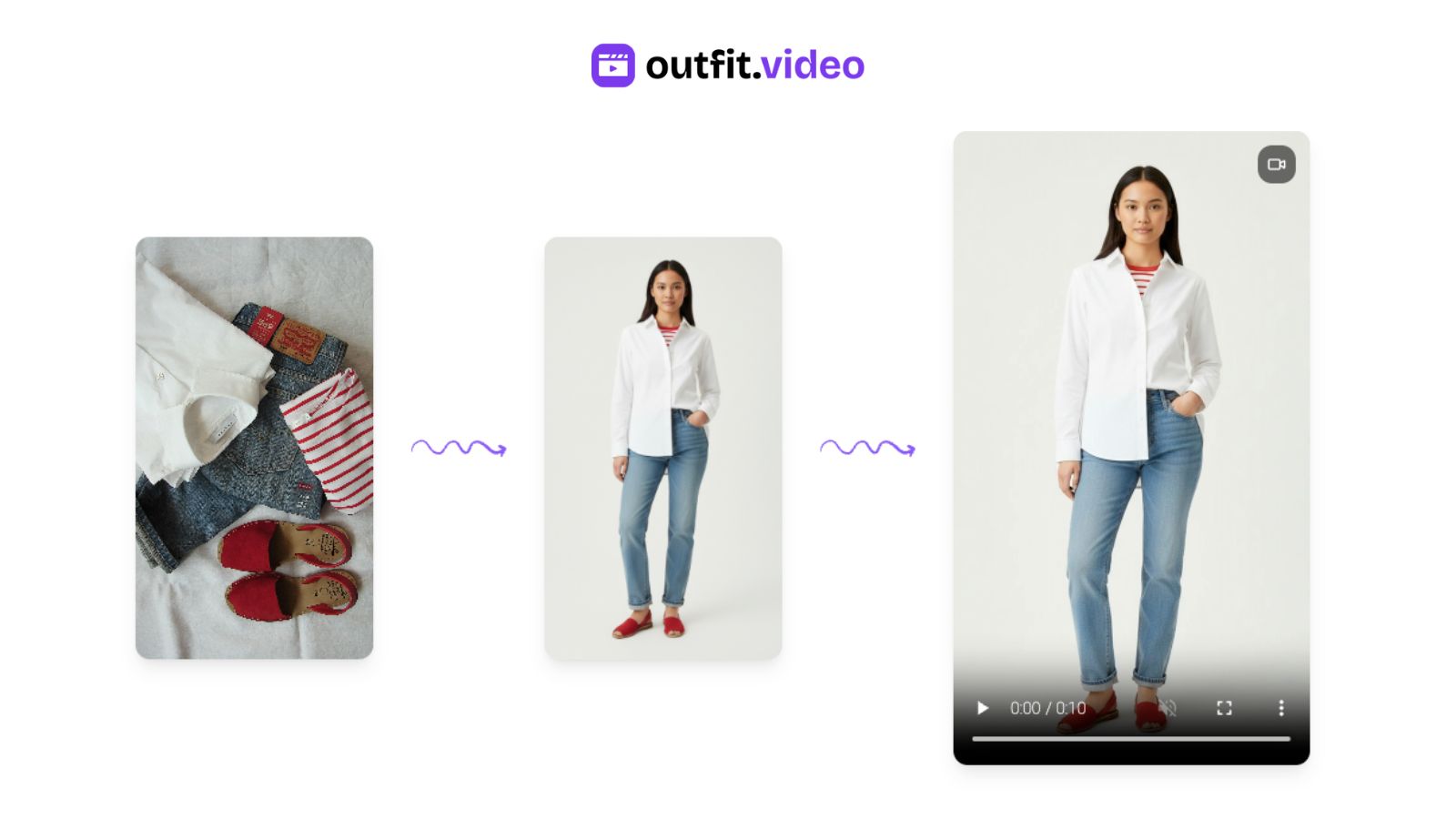
Outfit Video takes a product photograph and converts it into a short-form fashion video, handling the motion, composition, and presentation layer that would otherwise require a shoot. Pair this with curated review text and the production workflow becomes straightforward.
- Select the product photograph that best matches the review context. If the review mentions wearing the piece to a formal event, use the most dressed-up styling image available.
- Upload the image to Outfit Video and generate the base outfit clip.
- Add the review text as on-screen captions. Keep each caption to a maximum of eight words so it is readable at normal scroll speed. Break a longer quote into two or three sequential text cards.
- Open with the most specific or relatable line from the review rather than the reviewer’s star rating or name. Lead with the detail that will stop a thumb mid-scroll.
- Close with a brief brand callout or the product name so viewers know where to find the item.
The resulting clip functions as fashion UGC in format and tone, even when the visual layer is AI-generated from a product photo rather than sourced from a customer’s own camera. If your brand also sells through Indian marketplaces, check the platform specifications covered in Fashion Video on Flipkart, Myntra and Meesho: Platform Specs before exporting to ensure your clip meets each site’s technical requirements.
Formatting Review Video for Each Platform
The same base clip can be adapted across TikTok, Instagram Reels, YouTube Shorts, and Pinterest with minor adjustments to aspect ratio and caption placement. The 9:16 vertical format is the default for all four, but safe zones for text differ. TikTok reserves the bottom 20 percent of the frame for its native UI, so keep review captions in the upper two-thirds. Pinterest tends to favour slightly longer descriptive text overlays compared to the punchy one-liners that perform on Reels.
For paid amplification, the review-as-creative format performs particularly well as a cold audience ad because the social proof framing reduces the scepticism that typically suppresses click-through on direct response copy. If you are testing multiple review quotes against each other as ad variants, structure your budget allocation methodically. The post on Fashion Video Ad Creative Testing Budget: How Much per Variant provides a practical framework for spending at the variant level without over-investing before you have signal.
If your brand sells without showing models or faces, this format is a natural fit. The review text provides the human voice while the AI outfit clip provides the visual. For more on building a credible brand presence without on-camera talent, see Faceless Fashion Video: Building a Brand Without Showing Yourself.
Managing Permissions and Brand Consistency
Using customer words in a video requires a permissions approach, even when the review is publicly displayed on your site. The standard industry practice is to request explicit written consent before featuring a customer’s words in paid advertising. For organic posts, many brands rely on their published terms of service, which typically state that submitted reviews may be used for promotional purposes. Check your legal position before scaling this content type into paid media.
On the visual side, every AI-generated outfit clip should be reviewed against your brand guidelines before publishing. Colour rendering, background treatment, and typography all need to remain consistent across a clip series so that the cumulative output reads as a coherent brand identity rather than a collection of one-off assets. Run each clip through your internal sign-off process, however lightweight that process may be. A streamlined approval approach is covered in detail in the post on Fashion Video Approval Workflow: Getting Sign-Off Without Bottlenecks.
Measuring What the Review Video Format Actually Delivers
Track three metrics in the first 30 days of publishing review-to-video content. The first is watch time percentage. If viewers are dropping off before the resolution line of the review narrative, the opening quote is not specific or relatable enough. The second is save rate, which on Instagram and Pinterest indicates that viewers intend to return to the product. A save rate above 2 percent on Reels is a strong signal for a fashion clip. The third is link-in-bio or swipe-up conversion, depending on the platform. This tells you whether the social proof is converting curiosity into intent.
Compare these figures against your standard product-only clips. Review-led video will typically outperform pure visual content on save rate and conversion because the specificity of a real customer’s words reduces purchase anxiety in a way that beautiful imagery alone cannot.
FAQ
Do I need the customer’s permission to use their review in a video?
For organic social posts, most brand terms of service cover the use of submitted reviews for promotional purposes. For paid advertising, you should obtain explicit written consent from the reviewer before featuring their words. Check your platform’s advertising policies and consult your legal team if you are scaling this content type into significant ad spend.
What if I do not have high-quality product photos to use as the visual base?
AI outfit video tools work best with clean, well-lit product images shot against a neutral background. If your existing catalogue images are low resolution or heavily cluttered, invest in a brief reshoot of your top-reviewed SKUs before building the video series. Even smartphone photography in natural light on a plain background will produce usable results with a good AI tool.
How long should a review video clip be?
For TikTok and Instagram Reels, 10 to 20 seconds is the optimal range for a single-review clip. This is long enough to convey the narrative arc from expectation to outcome, and short enough to be watched in full, which the platform algorithms reward. For Pinterest, 15 to 30 seconds tends to perform better because the audience’s browsing intent skews toward inspiration and research rather than entertainment.
Can I combine multiple reviews into a single video?
Yes. A compilation format, where three or four short quotes appear in sequence over different outfit clips, works well for category-level campaigns. Keep each individual quote to one or two lines and change the visual with each new reviewer voice to maintain visual interest. This format suits paid advertising particularly well because it provides multiple social proof signals within a single asset.
Is this approach considered genuine fashion UGC?
It occupies a middle ground. The written content is genuine user-generated material because it comes directly from real customers. The visual layer is AI-generated from brand photography rather than filmed by the customer. Platforms do not currently distinguish between these hybrid formats in their organic distribution, but if you label content as UGC in paid campaigns, be transparent that the visuals are brand-produced. Authenticity in the copy is what drives the format’s effectiveness, so there is no need to obscure the production method.
Ready to turn your outfit photos into scroll-stopping videos? Try Outfit Video free and create your first AI fashion video in minutes.
Ready to turn your outfit photos into scroll-stopping videos? Try Outfit Video free and create your first AI fashion video in minutes.