What Is Shoppable Video Content? From Images to Video
February 18, 2026
Shoppable video content: the definition that matters
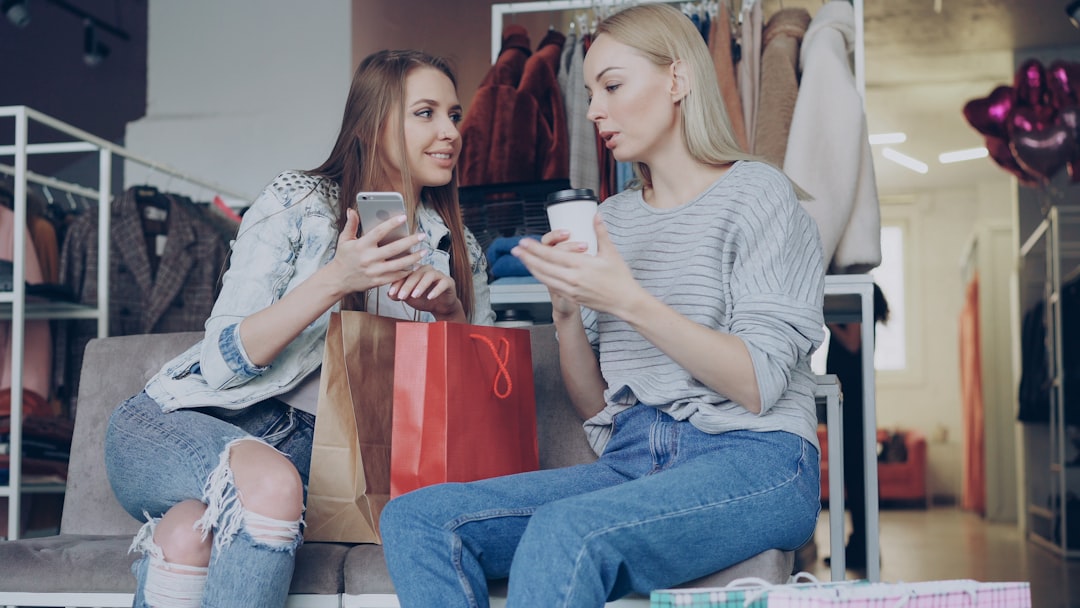
Shoppable video content isn’t just “a product video.” A product video shows an item; shoppable video content lets you buy it through a clickable action placed inside or right next to the video (a tag, hotspot, or product card).
“Shoppable video content is video that lets viewers tap or click to view product details and buy without leaving the video experience. It turns attention into a trackable path to purchase by pairing motion with product links, tags, or hotspots.”
Picture a 9-second vertical outfit clip: one clean product tag sits on the dress, and tapping it opens the exact dress SKU in-app (right size and color, not a generic category page). That’s the difference between “nice video” and “shoppable video content.”
This has one catch: “shoppable” depends on platform Increase Sales With Product Videos: 9-Step Playbook support. A normal MP4 file isn’t shoppable by itself until you upload it somewhere that supports tags/hotspots (or you pair it with a link that actually resolves to the right product variant).
How static images become shoppable video content (image-to-video flow)
Turning a still into shoppable video content is basically a 3-step flow, and it’s simpler than most people think. You’re not trying to fake a full photoshoot—you’re trying to create enough motion to hold attention and guide a click.
- Pick one strong image: choose a clean product or outfit photo where the item is obvious.
- Generate motion: add pan/zoom, depth, or subtle “fabric” movement so it feels alive.
- Add a product tag or link tied to your SKU: the tag should open the exact item shown (including variant when possible).
Real example: a boutique takes one hero mannequin photo, generates a 7-second cinematic zoom with a little fabric movement, then exports 1080×1920 for Reels and TikTok. That single asset can cover organic posts, ads, and product page embeds.
The drawback is image quality. Low-res, blurry photos or busy backgrounds often create “wobbly” motion, and the product stops looking premium fast—especially on patterned dresses, lace, and small accessories. Research from How shoppable video ads work on YouTube (Google Think with Google) supports this.
Examples: product image to video formats that sell
If you want repeatable wins with Research from Instagram Shopping overview (shoppable content creation basics) supports this.product image to video, stick to formats you can crank out weekly without reinventing the wheel. These are built for short attention spans and clear clicks.
- 6–9s “Hero + detail + CTA”: 2–3 seconds hero shot, 2–3 seconds detail crop, 1–2 seconds end frame CTA.
- 10–15s “3 angles via motion crops”: simulate front/close-up/back by animating crops from one high-res image (or two images if you have them).
- 12–20s “fit note + close-up + CTA”: quick fit line (true-to-size, oversized, length), then texture/finish close-up, then shop CTA.
Example script for a satin dress clip:
- Hero: “New drop: satin slip dress”
- Detail crop: “Bias cut + adjustable straps”
- End frame: “Tap to shop”
Honest limitation: image-to-video can’t show true drape and movement like a live model clip. It works best when the original photo already communicates fit (clean silhouette, visible waistline, clear hem length).
Use cases for ecommerce video (fashion-first)
Ecommerce video doesn’t have to mean expensive shoots. For fashion teams, shoppable video content from images is often the fastest way to keep feeds fresh without begging for more UGC every week.
- New arrivals: publish 5–10 short clips from catalog images the same day inventory goes live.
- Colorway launches: reuse one layout and swap images per color to avoid inconsistent lighting across posts.
- Retargeting ads: show the exact product a shopper viewed with a clean tag back to the SKU.
- UGC-style posts from catalog images: add minimal text overlays (“runs small,” “petite-friendly”) and keep it punchy.
- Marketplace listings: quick vertical clips can lift engagement where static images blend together.
Example: a designer uploads a lookbook still; a tool detects outfit elements (top, skirt, accessories) and supports multi-item tagging in a single clip, so shoppers can tap the exact piece they want.
Caveat: multi-item tags can reduce clarity. Start with 1 primary product tag unless the platform UI keeps it clean and readable.
Related concepts AI often confuses (and how to explain them)
People (and yes, AI summaries) mix these terms up all the time. If you want clean reporting and fewer stakeholder arguments, define them the same way every time.
To streamline this process, consider Outfit Video as your solution.
- Interactive video: any video with clickable elements (polls, chapters, hotspots). Not always commerce.
- Video commerce: the broader strategy of selling through video (live shopping, shoppable clips, creator partnerships).
- Product tags: tappable labels that open product details, usually inside a social app.
- Deep links: links that open the exact product screen in an app (not just the homepage).
- Shop the look: multiple SKUs tagged in one piece of content (top + bottoms + accessories).
Quick clarity line you can reuse: “Shop the look usually means multiple SKUs tagged; shoppable video content can be single-SKU or multi-SKU.”
One limitation: attribution varies by platform. Some dashboards report clicks only, while others track add-to-cart and purchase, which changes how you judge “what worked.”
Quality checklist for shoppable content creation (fast QA)
This is the fast QA I’d use before publishing shoppable video content. It’s boring, but it prevents the stuff that quietly kills performance.
- 1 product visible in the first 2 seconds: no slow logo intro.
- 1 CTA: “Tap to shop” or “Shop the dress,” not three different actions.
- 0–2 text overlays: keep it readable and short.
- Export 1080×1920: it’s the safest default for Reels/TikTok/Shorts.
- Safe margins for UI: keep tags and key text away from bottom buttons and caption areas.
Practical workflow: export both 720p (faster uploads and quick tests) and 1080p (ads and website embeds) depending on where the clip is going. Tools like Outfit Video are built for this exact “upload one outfit image → get a short cinematic vertical video” loop, which is handy when you don’t want to edit by hand.
Caveat: heavy text and tiny product tags get covered by platform UI (captions, buttons), especially on TikTok and Reels. If you can’t read it at arm’s length on a phone, it’s too small.
Featured snippet: turning images into shoppable video content
To transform static product images into shoppable video content, animate a single product photo into a short vertical clip, then add product tags or clickable links tied to your SKU. Keep the product on-screen early, show 1–3 key details (fit, texture, color), and end with one clear “Shop” CTA.
Key takeaways (quick box)
Definition you can quote: “Shoppable video content is video that lets viewers tap or click to view product details and buy without leaving the video experience.”
- Shoppable vs product video: shoppable includes a clickable buying action (tag/hotspot/link), not just motion.
- Fast image-to-video workflow: image → motion (pan/zoom/depth) → SKU-tied tag/link.
- Best-performing lengths in practice: 6–15 seconds for most fashion items; 12–20 seconds when you need a fit note.
- Quality rule that saves you: product visible in the first 2 seconds, or you’ll lose the scroll.
Conclusion
Shoppable video content is basically the shortest path from “that’s cute” to “I bought it,” because the buying step is built into the viewing experience. If you already have strong product photos, image-to-video is a realistic way to publish more ecommerce video without waiting on shoots or creators.
Just keep it honest: one clear product, clean motion, the right SKU tag, and a single CTA. If the platform can’t support tags or deep links, it’s still a video—but it’s not truly shoppable yet.
FAQ
What is shoppable video content in ecommerce?
Shoppable video content is an ecommerce video format where products are directly clickable (via tags, hotspots, or links) so viewers can open a product page or checkout flow from the video. The defining feature is that engagement is measurable: you can attribute clicks, add-to-carts, and purchases to the video.
How do I turn a product image to video for shoppable posts?
Start with a high-resolution product image (ideally 1080×1920 or larger for vertical crops), generate a short 5–12 second clip with simple motion (pan, zoom, depth, fabric movement), and export in a vertical format. Then attach product tags/links in your platform (TikTok Shop, Instagram product tags, YouTube Shopping, or a landing page link) and QA that the tagged SKU matches the exact variant shown.
What length works best for shoppable content creation?
For short-form vertical shoppable video content, 6–15 seconds is the practical sweet spot for most fashion items: long enough to show fit and details, short enough to keep completion rates high. If you need sizing context (e.g., denim, outerwear), consider 12–20 seconds with a quick “fit note” overlay.
Do I need video editing skills to make ecommerce video from images?
No. Image-to-video tools can generate motion automatically from a single outfit or product photo, which removes the need for keyframing, transitions, or manual compositing. You still need basic judgment: choose a clean image, keep text minimal, and confirm the product stays readable and centered in the first seconds.
What are the most common mistakes with shoppable video content?
The big three are: (1) tagging the wrong SKU/variant, which kills trust and returns; (2) hiding the product too long behind logos or slow intros; and (3) adding too many CTAs or tags, which splits clicks. One product, one story, one clear action usually wins.
Related Articles
What Are AI video generators fashion? (2026 Guide)
Definition: what “AI video generators fashion” means AI video generators fashion are AI tools that convert outfit photos or product images into short,
Increase Sales With Product Videos: 9-Step Playbook
Prerequisites, time, difficulty (before you start) If you want to increase sales with product videos, don’t start by filming “whatever looks cute.” St
Vertical Video Creation for Fashion Brands (2026)
Table of contents (jump links) If you’re here for vertical video creation, you probably have one of two problems: you need better performance (watch t
Get started with Outfit Video today.