How to Repurpose One Outfit Into 10 Video Formats
July 3, 2026
repurpose outfit video content from a single source into ten distinct formats — without reshooting, without a production crew, and without burning out your creative team.
- A single outfit photo or short clip can generate ten platform-ready video formats through smart fashion content repurposing.
- Different video formats for fashion serve different funnel stages — awareness, consideration, and conversion — so repurposing is also a strategic decision, not just a time-saver.
- AI video tools dramatically reduce the time and cost barrier to creating multiple format variations from one asset.
- Each platform has distinct aspect ratios, duration norms, and audience behaviours that should shape how you adapt each format.
- Repurposing is most effective when you plan it before the shoot, not after.
Why Repurposing Outfit Video Content Is a Growth Strategy
Most fashion brands treat video as a one-and-done deliverable. A clip gets posted to Instagram, gets three days of reach, then disappears. The asset cost is the same whether you extract one use or ten from it, which means every additional format you publish from a single shoot increases your return on that creative investment.
Fashion content repurposing also solves an algorithmic problem. Each platform rewards native content — material that looks and feels like it was made for that feed. A 60-second landscape video will not perform on TikTok. A 9:16 vertical clip with no captions will underperform on LinkedIn. By adapting one outfit asset into ten platform-native formats, you stop fighting the algorithm and start working with it.
For a deeper look at how small fashion brands are using AI video to compete with larger players without large production budgets, the underlying principle is the same: output volume through smart asset reuse.
The Ten Video Formats, Explained
Each format below can be generated from a single outfit photo or a short raw clip. The descriptions include the platform it is built for, the ideal duration, and what makes it distinct.
- TikTok outfit reveal (9:16, 7–15 seconds). A fast-cut or motion-graphic reveal of the outfit, starting with a close detail shot and pulling back to the full look. High-energy pacing with on-screen text naming each piece.
- Instagram Reels styling loop (9:16, 15–30 seconds). The same reveal format but with a slower, more editorial feel. Reels audiences on fashion accounts respond to aspirational framing over raw energy.
- YouTube Shorts styling tip (9:16, under 60 seconds). Position the outfit within a micro-tip — three ways to style this piece, for example. A strong hook in the first two seconds is non-negotiable. See the full YouTube Shorts fashion growth strategy for format-specific best practices.
- Pinterest Idea Pin (9:16, static-to-motion). Pinterest rewards saves and outbound clicks. A slow zoom or subtle motion applied to the still image, paired with shoppable overlay text, drives both.
- Before-and-after transformation (9:16 or 1:1, 15–30 seconds). Show the outfit components individually, then reveal the complete look. This format has strong engagement mechanics because it creates visual anticipation. The before-and-after outfit transformation format deserves its own creative treatment.
- Product page loop video (1:1 or 4:5, 6–10 seconds, silent). A short, seamlessly looping clip designed to sit on a product detail page. No audio dependency. Subtle motion — a gentle pan or fabric movement — keeps it from reading as a static image while maintaining the clean aesthetic expected on e-commerce pages.
- Email thumbnail video still (16:9 or 1:1). A single frame extracted from the video — or a short animated GIF — used as the visual anchor inside a campaign email. Animated thumbnails in emails lift click-through rates significantly when done with the right file weight and dimensions.
- Stories swipe-up teaser (9:16, under 10 seconds). A stripped-back, fast version of the outfit reveal designed purely to drive a swipe or link tap. Urgency framing — new drop, limited stock, last chance — pairs well with this format.
- Shoppable video clip (9:16 or 1:1, 15–30 seconds). The outfit video with tagged product links embedded. Platforms like TikTok Shop, Instagram Shopping, and Pinterest Shopping all support this. The format is functionally similar to the Reels version but built with conversion as the primary goal rather than reach.
- Content calendar evergreen cut (any ratio, 30–60 seconds). A longer, more educational or editorial version of the outfit content — how to style it across seasons, what occasions it works for — designed to be republished periodically without feeling dated.
How to Plan for Repurposing Before You Shoot
The most common mistake in fashion content repurposing is trying to extract multiple formats from an asset that was only ever composed for one. If your original photo is tightly cropped at 4:5, extracting a clean 9:16 crop for TikTok is going to be difficult. Plan composition with the most restrictive format first.
A simple pre-shoot checklist for repurposing:
- Shoot in the highest resolution available — this gives you crop flexibility without quality loss.
- Capture detail shots of individual pieces, not just the full look. These become your close-up b-roll for formats 1 through 5.
- Shoot with headroom. A full 9:16 frame with subject centred gives you space to reformat to 1:1 and 4:5 without losing the face or the shoes.
- Capture a clean version without props or set dressing, and a styled version with context. Both serve different format needs.
- Note the outfit components in a simple spreadsheet as you shoot. You will use this for on-screen text in at least half the formats above.
Using AI to Generate Multiple Format Variations Fast
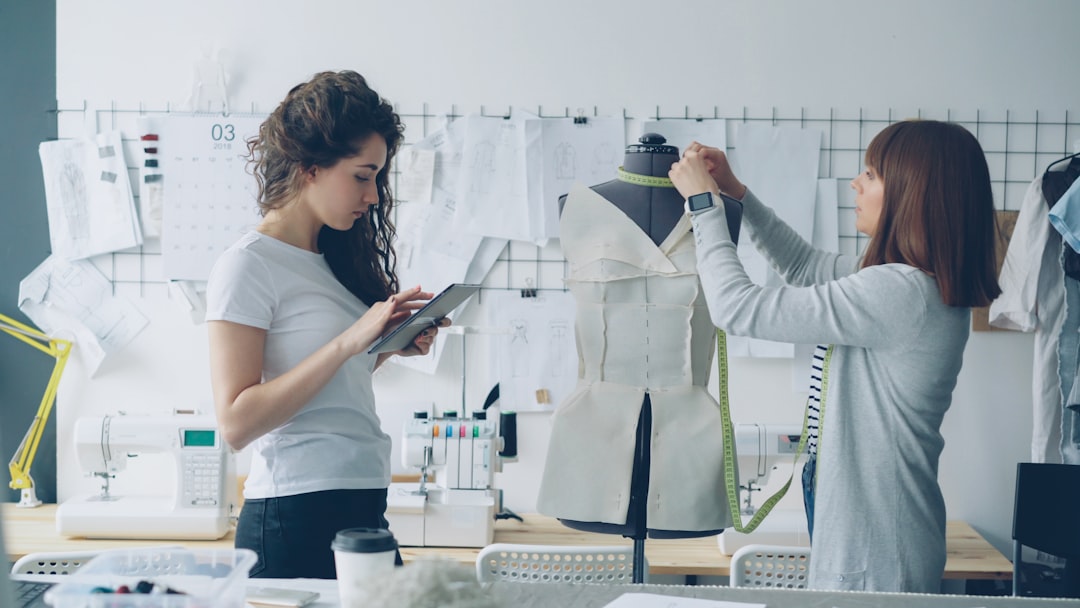
Manually editing ten variations of a single outfit asset is realistic but time-consuming. AI video generation tools change the equation by letting you input a single outfit photo and output multiple format-ready video clips with motion, transitions, on-screen text, and aspect ratio variations applied automatically.
Outfit Video is built specifically for this workflow. You upload an outfit photo, select a format or platform target, and the AI generates a short-form video complete with subtle motion, branded styling, and the correct technical specifications for TikTok, Reels, Shorts, or Pinterest. Running through all ten format variations from a single image takes a fraction of the time it would take in a manual editing workflow.
For a broader view of which AI fashion video generation approaches actually work in 2026, the pattern is consistent: tools that are trained on fashion-specific content produce significantly better output than general-purpose video generators when it comes to clothing detail, texture rendering, and garment motion.
Matching Each Format to the Right Funnel Stage
Not all ten formats serve the same purpose, and treating them as interchangeable will dilute your results. Map each format to a funnel stage before you distribute:
- Awareness: TikTok reveal, Reels styling loop, YouTube Shorts tip. Optimise for shares, replays, and reach. Hook-first structure is essential.
- Consideration: Before-and-after transformation, evergreen content calendar cut, Stories teaser. Optimise for saves, follows, and link clicks.
- Conversion: Product page loop, shoppable video clip, email thumbnail, Pinterest Idea Pin. Optimise for add-to-cart, swipe-up, and purchase.
When you look at your ten formats mapped this way, a single outfit asset is touching every stage of the purchase journey simultaneously. That is the compounding value of a structured video format fashion strategy.
Measuring What Works and Feeding It Back Into Production
Repurposing is not just a production strategy — it is a testing strategy. When the same outfit asset appears in ten formats across multiple platforms, you accumulate performance data that tells you which format, platform, and framing resonates most with your audience.
Track the following metrics per format:
- Completion rate (the strongest signal for short-form video quality)
- Save rate on Instagram and Pinterest (indicates content people want to return to)
- Click-through rate on shoppable and email formats
- Add-to-cart or conversion rate on product page loop videos
After four to six weeks of data across a repurposing cycle, patterns will emerge. One outfit style will outperform others in Reels reveals. A particular pacing or transition will drive stronger completion on TikTok. Feed those findings into your next shoot brief. Over time, your repurposing output becomes progressively more effective because you are not guessing at format preferences — you are responding to documented evidence.
FAQ
How many outfit photos do I need to start a repurposing workflow?
One is enough to test the approach. Start with a single outfit, generate or edit all ten format variations, publish them across your active platforms over two to three weeks, and measure performance before scaling the workflow. The goal at first is to validate which formats deliver results for your specific audience, not to produce at volume.
Do I need a video editor to create all ten format variations?
Not necessarily. AI fashion video tools like Outfit Video can generate multiple format-ready clips from a single photo input, handling aspect ratio, motion, and on-screen text automatically. For more complex formats — such as the before-and-after transformation or the evergreen long-form cut — basic editing in a tool like CapCut or Adobe Premiere may still be useful.
Which of the ten formats drives the most sales directly?
Shoppable video clips and product page loop videos consistently show the strongest direct conversion correlation, because they appear at moments of high purchase intent — inside a social shopping tab or on a product detail page. Email thumbnail videos are also high-conversion when paired with a strong offer. Awareness formats like TikTok reveals drive volume at the top of the funnel but rarely convert directly on first exposure.
How often should I repurpose the same outfit asset?
For evergreen pieces — classic wardrobe staples, core collection items — a quarterly republish cycle is reasonable, particularly if you update the on-screen text or transition style to feel fresh. For trend-led or seasonal items, repurpose the asset fully within its relevant window and retire it once the season or trend has passed.
Does repurposing the same outfit across platforms hurt brand perception?
Only if the format is not adapted for each platform. Audiences on TikTok and Pinterest do not cross-reference your content calendar, and even where there is audience overlap, platform-native formatting signals that you understand the medium. The risk is not duplication — it is posting the same unedited clip everywhere, which reads as low-effort rather than strategic.
Ready to turn your outfit photos into scroll-stopping videos? Try Outfit Video free and create your first AI fashion video in minutes.
Ready to turn your outfit photos into scroll-stopping videos? Try Outfit Video free and create your first AI fashion video in minutes.